Apache Superset is an open-source data exploration and visualization platform that empowers users to create interactive, shareable dashboards and charts for analyzing and presenting data. It supports a wide range of data sources and provides an intuitive, web-based interface for data exploration, slicing, and dicing, with features like dynamic filtering, pivot tables, and drag-and-drop functionality. Superset also offers a rich set of visualization options and can be extended through custom plugins, making it a versatile tool for data analysts and business users to gain insights from their data and collaborate effectively.
Prerequisites
Superset can be installed in several ways, including using a pre-built Docker container, building it from source or deploying via Kubernetes Helm chart.
The easiest way to get started is to run Superset via Docker.
You will need:
Quickstart
Follow this guide to setup Superset and connect it to your Firebolt Core instance.
Setup Superset
- Clone Superset’s GitHub repository
git clone https://github.com/apache/superset.git
- Change directory to the root of the newly cloned repository and add the Firebolt driver
cd superset
touch ./docker/requirements-local.txt
echo "firebolt-sqlalchemy" >> ./docker/requirements-local.txt
- Run Superset via Docker Compose
docker compose -f docker-compose-non-dev.yml up
- (Optional) Verify firebolt driver is present in Superset container
docker exec -it <container_name> bash
pip freeze | grep firebolt
firebolt-sqlalchemy in the output.
Once your Superset is booted up you should be able to access it in http://localhost:8088/
Setup Firebolt Core connection
After the initial setup in Superset User Interface head to the Settings -> Database connections in the top right corner.
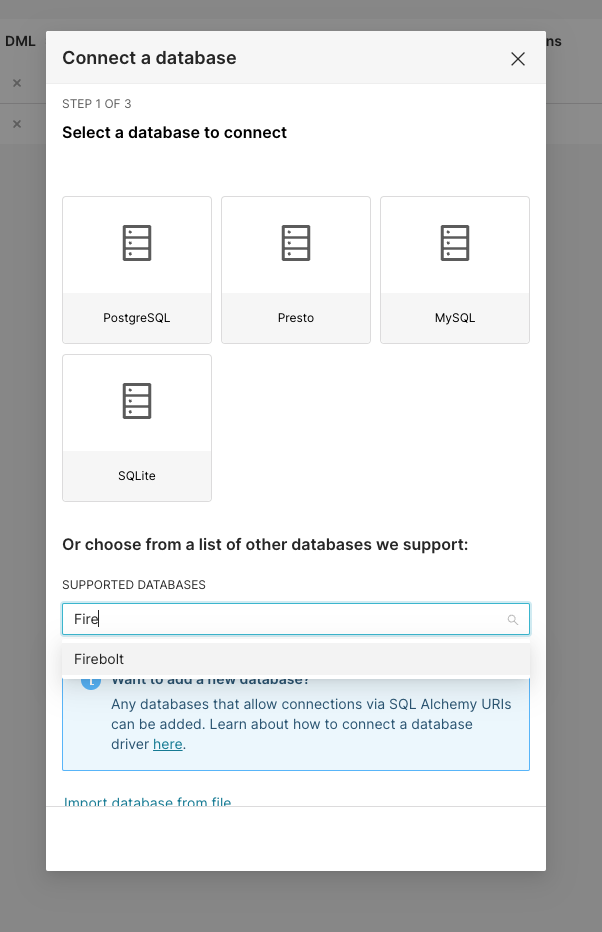
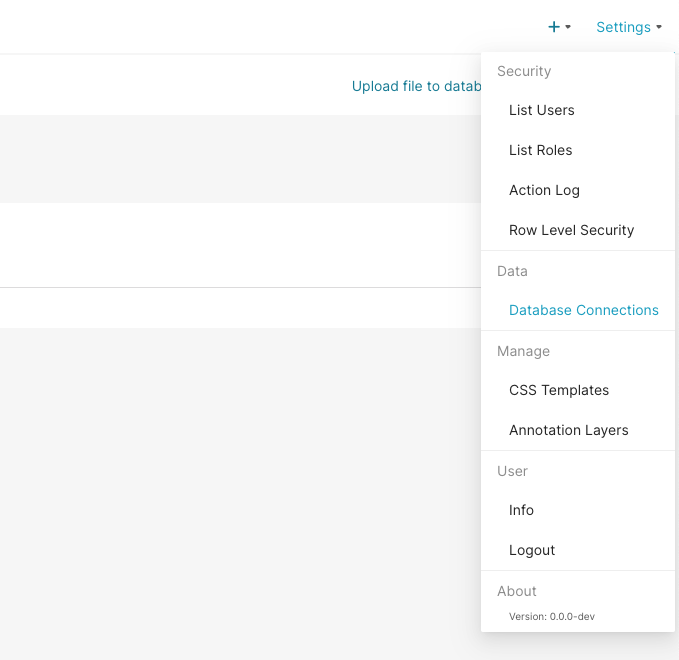 On the next screen, press the + Database button and select Firebolt from the dropdown. If you don’t see Firebolt in the list, please refer to the Setup Superset section for instructions on how to install the Firebolt driver and verify that the driver is present.
 The connection expects a SQLAlchemy connection string of the form:
firebolt://{database}?url={url}
{database} is your Firebolt Core database name (default is firebolt){url} is the fully qualified URL where your Firebolt Core instance is hosted (default is http://localhost:3473)
For a local Firebolt Core instance running with default settings, the connection string would be:
firebolt://firebolt?url=http://localhost:3473
Unlike Firebolt Cloud, Firebolt Core does not require authentication credentials (client_id, client_secret, or account_name) in the connection string since it’s designed for self-hosted environments.
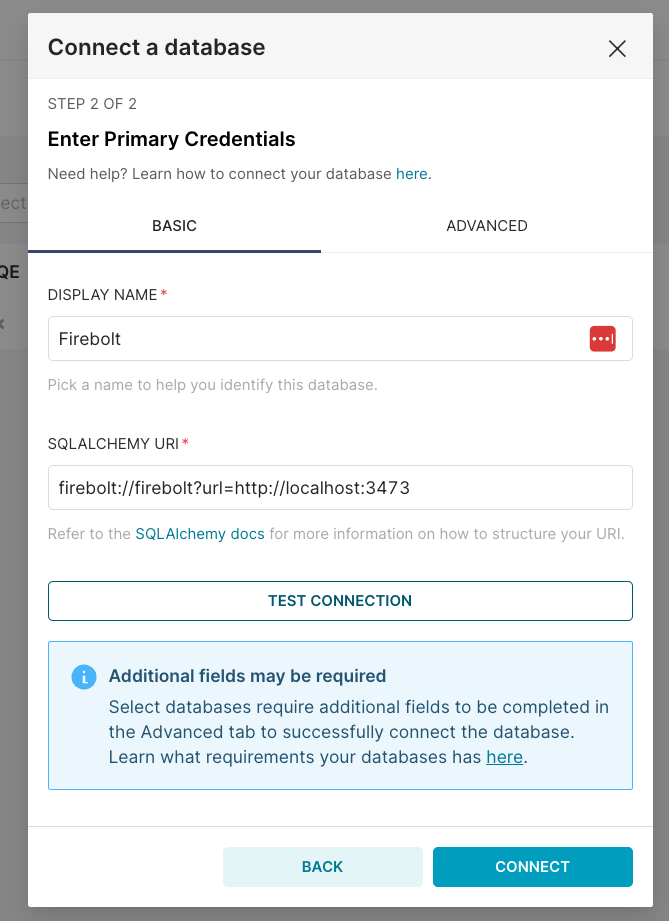 Click the Test Connection button to confirm things work end to end. If the connection looks good, save the configuration by clicking the Connect button in the bottom right corner of the modal window.
Now you’re ready to start using Superset with Firebolt Core!
Click the Test Connection button to confirm things work end to end. If the connection looks good, save the configuration by clicking the Connect button in the bottom right corner of the modal window.
Now you’re ready to start using Superset with Firebolt Core!
Build your first chart
Now that you’ve configured Firebolt Core as a data source, you can select specific tables (Datasets) that you want to see in Superset.
Go to Data -> Datasets and select + Dataset. There you can select your sample table by specifying Firebolt as your Database, your schema and the table name you chose.
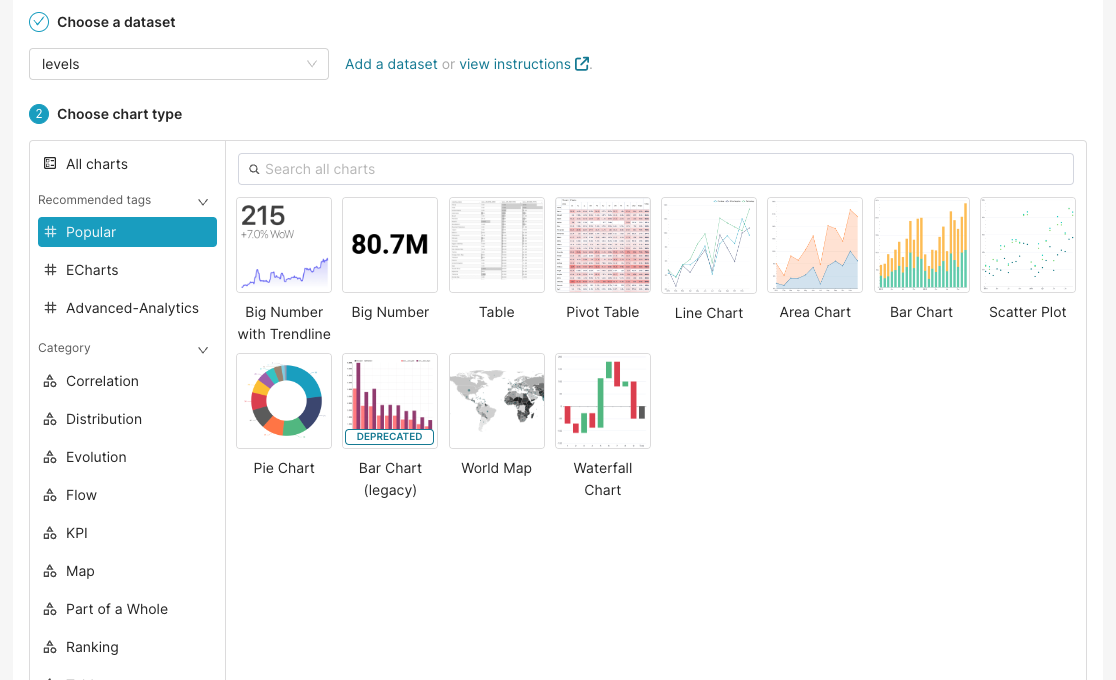
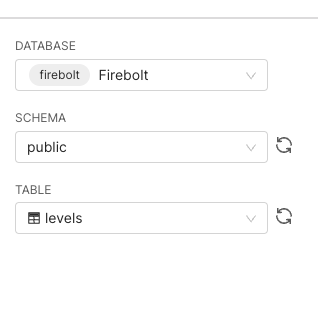 Press Create Dataset and Create Chart. On the next screen you can select your desired chart type. For this tutorial we will go with a simple Bar Chart.
 In the next screen you can drag and drop your table columns into Metrics and Dimensions, specify filters or sorting orders. Configure your chart according to your data and requirements.
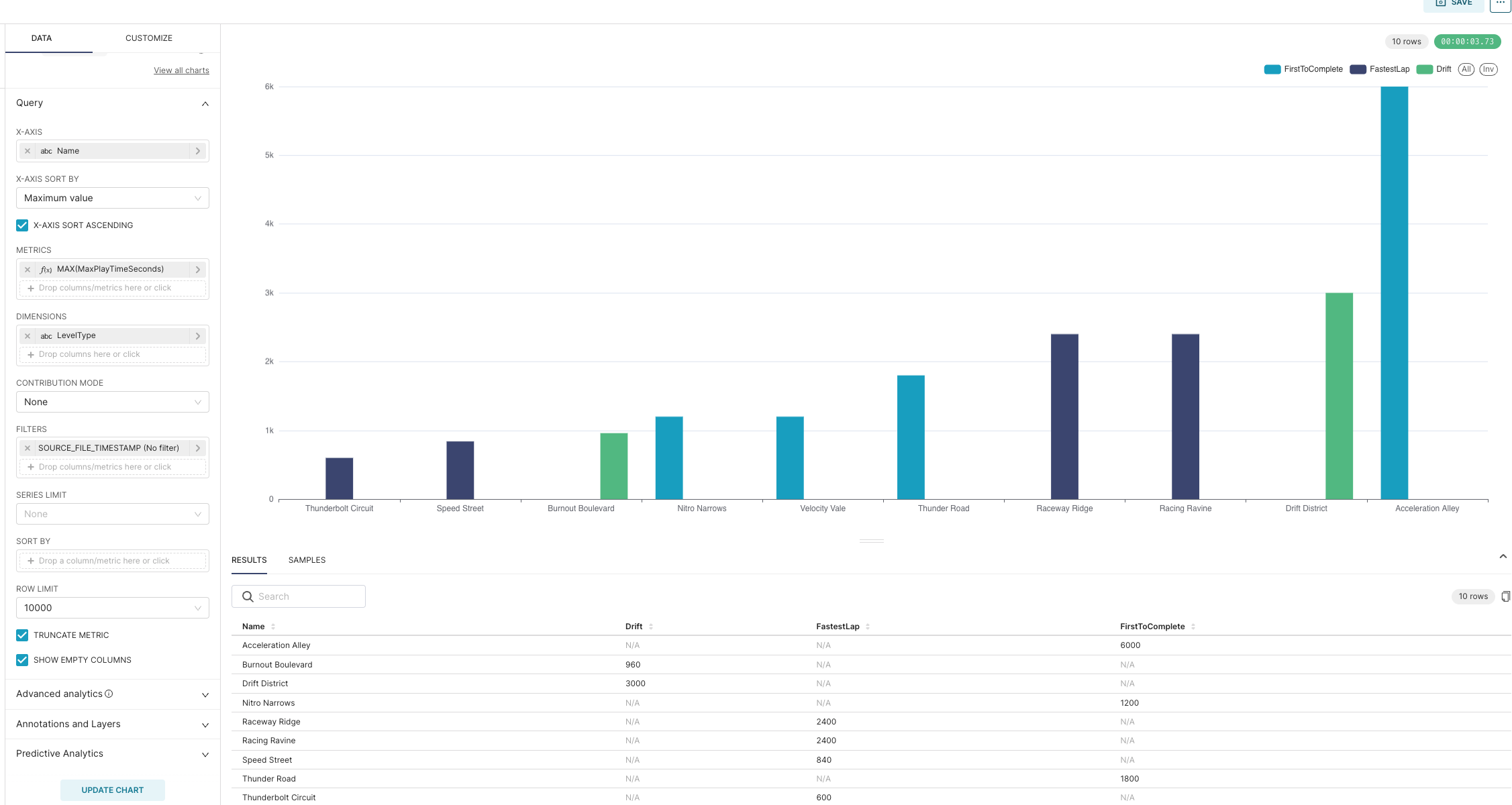 Your first chart is ready! You can now save it, add more data to it or change its type. You can also start building a dashboard with different charts telling a story. Learn more about this functionality and more by following the links below.
Further reading

