> ## Documentation Index
> Fetch the complete documentation index at: https://docs.firebolt.io/llms.txt
> Use this file to discover all available pages before exploring further.
> Learn how to migrate your workflow from Redshift
# Migrate from Amazon Redshift
 Migrating from Amazon Redshift to Firebolt improves performance, scalability, and cost efficiency for analytics workloads. Firebolt’s decoupled architecture removes the limitations of Redshift’s monolithic cluster, allowing faster queries, elastic scaling, and better workload management. Instead of relying on a single cluster, Firebolt uses independent compute engines for workload isolation and cost control. To use these features effectively, plan your migration carefully and adapt your workloads to Firebolt’s architecture rather than simply copying your existing setup.
This guide walks you through migrating from Redshift to Firebolt. It starts with an **overview** of key architectural and schema differences to help you understand Firebolt’s engine-based architecture, workload isolation, indexing, and flexible schema design. Then, it provides **step-by-step instructions** for exporting data from Redshift, loading it into Firebolt, translating queries, testing and optimizing performance, and setting up automated migration workflows.
**Differences between Amazon Redshift and Firebolt**
Migrating from Amazon Redshift to Firebolt improves performance, scalability, and cost efficiency for analytics workloads. Firebolt’s decoupled architecture removes the limitations of Redshift’s monolithic cluster, allowing faster queries, elastic scaling, and better workload management. Instead of relying on a single cluster, Firebolt uses independent compute engines for workload isolation and cost control. To use these features effectively, plan your migration carefully and adapt your workloads to Firebolt’s architecture rather than simply copying your existing setup.
This guide walks you through migrating from Redshift to Firebolt. It starts with an **overview** of key architectural and schema differences to help you understand Firebolt’s engine-based architecture, workload isolation, indexing, and flexible schema design. Then, it provides **step-by-step instructions** for exporting data from Redshift, loading it into Firebolt, translating queries, testing and optimizing performance, and setting up automated migration workflows.
**Differences between Amazon Redshift and Firebolt**
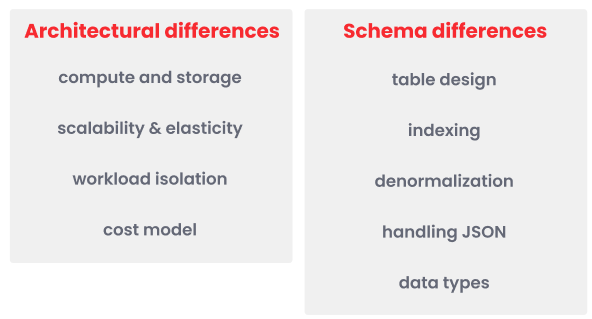 ## Architectural differences
Migrating from Amazon Redshift to Firebolt requires adapting to a different architecture. Redshift’s monolithic cluster model, where compute and storage are tightly integrated, limits flexibility and forces full-cluster scaling. In contrast, Firebolt separates compute engines from storage, enabling elastic scaling, workload isolation, and advanced indexing for faster performance, as summarized in the following table:
| **Feature** | **Redshift** | **Firebolt** | **Recommendations** |
| ------------------------------ | --------------------------------------------------------------------------- | ----------------------------------------------------------------------------- | ----------------------------------------------------------------------------------- |
| **Compute and storage** | Monolithic cluster with tightly coupled compute and storage. | Decoupled architecture with virtualized compute engines and separate storage. | Use multiple engines to separate workloads and improve flexibility. |
| **Scalability and elasticity** | Resizing requires downtime and offers limited concurrency scaling. | Elastic scaling with independent compute and storage. | Assign separate engines for ingestion, analytics, and ETL to optimize resource use. |
| **Workload isolation** | Shared cluster causes resource contention. | Fully isolated workloads with multiple independent engines. | Use dedicated engines to prevent interference between queries. |
| **Cost model** | Billed for cluster uptime, with additional charges for concurrency scaling. | Pay-as-you-go pricing based on engine runtime. | Pause idle engines and right-size compute to control costs. |
The following sections outline key differences in compute and storage, scalability and elasticity, workload isolation, and cost model, to help you optimize Firebolt for both speed and efficiency.
## Architectural differences
Migrating from Amazon Redshift to Firebolt requires adapting to a different architecture. Redshift’s monolithic cluster model, where compute and storage are tightly integrated, limits flexibility and forces full-cluster scaling. In contrast, Firebolt separates compute engines from storage, enabling elastic scaling, workload isolation, and advanced indexing for faster performance, as summarized in the following table:
| **Feature** | **Redshift** | **Firebolt** | **Recommendations** |
| ------------------------------ | --------------------------------------------------------------------------- | ----------------------------------------------------------------------------- | ----------------------------------------------------------------------------------- |
| **Compute and storage** | Monolithic cluster with tightly coupled compute and storage. | Decoupled architecture with virtualized compute engines and separate storage. | Use multiple engines to separate workloads and improve flexibility. |
| **Scalability and elasticity** | Resizing requires downtime and offers limited concurrency scaling. | Elastic scaling with independent compute and storage. | Assign separate engines for ingestion, analytics, and ETL to optimize resource use. |
| **Workload isolation** | Shared cluster causes resource contention. | Fully isolated workloads with multiple independent engines. | Use dedicated engines to prevent interference between queries. |
| **Cost model** | Billed for cluster uptime, with additional charges for concurrency scaling. | Pay-as-you-go pricing based on engine runtime. | Pause idle engines and right-size compute to control costs. |
The following sections outline key differences in compute and storage, scalability and elasticity, workload isolation, and cost model, to help you optimize Firebolt for both speed and efficiency.
 ### Compute and storage
 One of the biggest advantages of migrating to Firebolt is its engine-based architecture, which allows you to tailor your compute resources to specific workloads. Amazon Redshift **combines compute and storage into a single cluster**, meaning all workloads share the same resources, and scaling requires resizing the entire cluster, even if only compute or storage needs adjustment. In contrast, **Firebolt separates compute engines from storage**, allowing workloads to run on independent engines that can be resized, paused, or restarted without affecting storage. This prevents resource contention, improves query performance, and enables cost-efficient scaling.
Since Firebolt allows dedicated compute engines for different workloads, selecting the right engine `TYPE` is critical to optimizing performance and cost efficiency. Unlike Redshift, where all workloads run on the same cluster, Firebolt lets you assign separate engines for ingestion, analytics, and transformation tasks. To maximize efficiency, engines should be right-sized based on workload needs, scaled independently of storage, and paused when not in use to reduce costs.
| **Best practice for compute and storage** | **Impact** | **How to implement** |
| ----------------------------------------- | -------------------------------------------------------------- | ---------------------------------------------------------------------------------------------------------------------------- |
| Scale compute and storage independently. | Allows flexible resource allocation without over-provisioning. | Increase compute resources for analytics without expanding storage, and scale engines independently based on workload needs. |
Firebolt allows scaling compute without affecting storage, unlike Redshift, where storage grows with compute. You can allocate more compute resources for analytics while keeping storage unchanged. Use smaller engines for intermittent workloads.
The following code example shows how to scale an engine for high-currency analytics in **Firebolt**:
```sql theme={"theme":{"light":"css-variables","dark":"css-variables"}}
ALTER ENGINE "analytics_engine" SET NODES = 10;
```
### Scalability and elasticity
One of the biggest advantages of migrating to Firebolt is its engine-based architecture, which allows you to tailor your compute resources to specific workloads. Amazon Redshift **combines compute and storage into a single cluster**, meaning all workloads share the same resources, and scaling requires resizing the entire cluster, even if only compute or storage needs adjustment. In contrast, **Firebolt separates compute engines from storage**, allowing workloads to run on independent engines that can be resized, paused, or restarted without affecting storage. This prevents resource contention, improves query performance, and enables cost-efficient scaling.
Since Firebolt allows dedicated compute engines for different workloads, selecting the right engine `TYPE` is critical to optimizing performance and cost efficiency. Unlike Redshift, where all workloads run on the same cluster, Firebolt lets you assign separate engines for ingestion, analytics, and transformation tasks. To maximize efficiency, engines should be right-sized based on workload needs, scaled independently of storage, and paused when not in use to reduce costs.
| **Best practice for compute and storage** | **Impact** | **How to implement** |
| ----------------------------------------- | -------------------------------------------------------------- | ---------------------------------------------------------------------------------------------------------------------------- |
| Scale compute and storage independently. | Allows flexible resource allocation without over-provisioning. | Increase compute resources for analytics without expanding storage, and scale engines independently based on workload needs. |
Firebolt allows scaling compute without affecting storage, unlike Redshift, where storage grows with compute. You can allocate more compute resources for analytics while keeping storage unchanged. Use smaller engines for intermittent workloads.
The following code example shows how to scale an engine for high-currency analytics in **Firebolt**:
```sql theme={"theme":{"light":"css-variables","dark":"css-variables"}}
ALTER ENGINE "analytics_engine" SET NODES = 10;
```
### Scalability and elasticity
 Firebolt’s architecture allows you to scale compute resources independently and elastically. Unlike Redshift, which requires cluster resizing and downtime, Firebolt engines can be adjusted at any time based on workload demands.
| **Best practice for scalability and elasticity** | **Impact** | **How to implement** |
| ------------------------------------------------ | ------------------------------------------------------------------------------------- | ----------------------------------------------------------------------------------------------------------------------------------- |
| Use right-sized engines based on workload needs. | Optimizes performance and cost by allocating appropriate resources for each workload. | Start with small or medium engines for lighter workloads and scale up using `ALTER ENGINE` for high-concurrency or intensive tasks. |
The following table outlines the recommended Firebolt engine configurations for different workloads, ensuring optimal performance, scalability, and cost efficiency:
| **Workload type** | **Recommended engine configuration** |
| ----------------------------------------------- | -------------------------------------------------------------------------------------------------------- |
| **High-concurrency business intelligence (BI)** | Use medium to large engines with high parallelism for supporting many concurrent queries efficiently. |
| **ETL and transformations** | Use small to medium engines with moderate concurrency, optimized for data ingestion and transformations. |
| **Data science** | Use small engines for iterative, ad-hoc queries or training datasets. |
| **Data-intensive applications** | Use dedicated small engines with consistent SLA for low-latency queries. |
| **Ad-hoc analytics** | Use on-demand engines that start quickly and scale based on query complexity. |
The following code example shows how to resize an existing engine for higher concurrency in **Firebolt**:
```sql theme={"theme":{"light":"css-variables","dark":"css-variables"}}
ALTER ENGINE analytics_engine SET NODES = 8;
```
### Workload isolation
Firebolt’s architecture allows you to scale compute resources independently and elastically. Unlike Redshift, which requires cluster resizing and downtime, Firebolt engines can be adjusted at any time based on workload demands.
| **Best practice for scalability and elasticity** | **Impact** | **How to implement** |
| ------------------------------------------------ | ------------------------------------------------------------------------------------- | ----------------------------------------------------------------------------------------------------------------------------------- |
| Use right-sized engines based on workload needs. | Optimizes performance and cost by allocating appropriate resources for each workload. | Start with small or medium engines for lighter workloads and scale up using `ALTER ENGINE` for high-concurrency or intensive tasks. |
The following table outlines the recommended Firebolt engine configurations for different workloads, ensuring optimal performance, scalability, and cost efficiency:
| **Workload type** | **Recommended engine configuration** |
| ----------------------------------------------- | -------------------------------------------------------------------------------------------------------- |
| **High-concurrency business intelligence (BI)** | Use medium to large engines with high parallelism for supporting many concurrent queries efficiently. |
| **ETL and transformations** | Use small to medium engines with moderate concurrency, optimized for data ingestion and transformations. |
| **Data science** | Use small engines for iterative, ad-hoc queries or training datasets. |
| **Data-intensive applications** | Use dedicated small engines with consistent SLA for low-latency queries. |
| **Ad-hoc analytics** | Use on-demand engines that start quickly and scale based on query complexity. |
The following code example shows how to resize an existing engine for higher concurrency in **Firebolt**:
```sql theme={"theme":{"light":"css-variables","dark":"css-variables"}}
ALTER ENGINE analytics_engine SET NODES = 8;
```
### Workload isolation
 Unlike Redshift, where all queries run in a shared cluster, Firebolt enables workload isolation by assigning dedicated compute engines for different tasks. This ensures that data loading processes no longer compete with analytical queries, maintaining consistent performance. Allocate dedicated engines for critical workloads such as real-time dashboards or high-volume data transformation pipelines to maximize efficiency.
Some key differences include:
* Firebolt engines support both read and write operations on shared data while maintaining strong consistency across engines, eliminating the need for manual synchronization.
* Firebolt optimizes workload execution dynamically based on configuration, resource utilization, and query history. This helps balance latency and throughput, ensuring that resources are used efficiently.
| **Best practice for workload isolation** | **Impact** | **How to implement** |
| ------------------------------------------------------ | ------------------------------------------------------------- | ---------------------------------------------------------------------------------------------------------- |
| Use separate Firebolt engines for different workloads. | Prevents resource contention and improves workload isolation. | Assign dedicated engines for ingestion, analytics, and transformations to avoid competition for resources. |
The following table provides recommended Firebolt engine configurations for different workloads, ensuring optimal performance, scalability, and cost efficiency:
| **Workload** | **Engine name** | **Configuration** | **Purpose** |
| ---------------------------- | ------------------ | -------------------------------- | ------------------------------------ |
| **Data ingestion** | `ingestion_engine` | `TYPE = S, NODES = 1` | Continuous data loading. |
| **High-concurrency queries** | `analytics_engine` | `TYPE = M, NODES = 6` | Supports many concurrent queries. |
| **Real-time dashboards** | `dashboard_engine` | `TYPE = M, NODES = 2` | Low-latency SLA-sensitive queries. |
| **Ad-hoc analytics** | `ad_hoc_engine` | `TYPE = S, NODES = 2, AUTO_STOP` | Cost-efficient for intermittent use. |
The following code example shows how to create different engines with different sizes to separate data loading and analytics workloads in **Firebolt**:
```sql theme={"theme":{"light":"css-variables","dark":"css-variables"}}
CREATE ENGINE "ingestion_engine" WITH
TYPE = "M"
NODES = 2;
CREATE ENGINE "analytics_engine" WITH
TYPE = "L"
NODES = 8;
```
### Cost model
Firebolt engines consume credits only when engines are running, so pausing unused engines can significantly reduce costs. In Redshift, charges are based on cluster uptime, even if it is idle. In Firebolt, you can pause an engine without losing access to stored data.
Unlike Redshift, where all queries run in a shared cluster, Firebolt enables workload isolation by assigning dedicated compute engines for different tasks. This ensures that data loading processes no longer compete with analytical queries, maintaining consistent performance. Allocate dedicated engines for critical workloads such as real-time dashboards or high-volume data transformation pipelines to maximize efficiency.
Some key differences include:
* Firebolt engines support both read and write operations on shared data while maintaining strong consistency across engines, eliminating the need for manual synchronization.
* Firebolt optimizes workload execution dynamically based on configuration, resource utilization, and query history. This helps balance latency and throughput, ensuring that resources are used efficiently.
| **Best practice for workload isolation** | **Impact** | **How to implement** |
| ------------------------------------------------------ | ------------------------------------------------------------- | ---------------------------------------------------------------------------------------------------------- |
| Use separate Firebolt engines for different workloads. | Prevents resource contention and improves workload isolation. | Assign dedicated engines for ingestion, analytics, and transformations to avoid competition for resources. |
The following table provides recommended Firebolt engine configurations for different workloads, ensuring optimal performance, scalability, and cost efficiency:
| **Workload** | **Engine name** | **Configuration** | **Purpose** |
| ---------------------------- | ------------------ | -------------------------------- | ------------------------------------ |
| **Data ingestion** | `ingestion_engine` | `TYPE = S, NODES = 1` | Continuous data loading. |
| **High-concurrency queries** | `analytics_engine` | `TYPE = M, NODES = 6` | Supports many concurrent queries. |
| **Real-time dashboards** | `dashboard_engine` | `TYPE = M, NODES = 2` | Low-latency SLA-sensitive queries. |
| **Ad-hoc analytics** | `ad_hoc_engine` | `TYPE = S, NODES = 2, AUTO_STOP` | Cost-efficient for intermittent use. |
The following code example shows how to create different engines with different sizes to separate data loading and analytics workloads in **Firebolt**:
```sql theme={"theme":{"light":"css-variables","dark":"css-variables"}}
CREATE ENGINE "ingestion_engine" WITH
TYPE = "M"
NODES = 2;
CREATE ENGINE "analytics_engine" WITH
TYPE = "L"
NODES = 8;
```
### Cost model
Firebolt engines consume credits only when engines are running, so pausing unused engines can significantly reduce costs. In Redshift, charges are based on cluster uptime, even if it is idle. In Firebolt, you can pause an engine without losing access to stored data.
 | **Best practice for scalability and elasticity** | **Impact** | **How to implement** |
| ------------------------------------------------ | ------------------------------------------------------- | -------------------------------------------------------------------------- |
| Pause idle engines to reduce costs | Lowers operational costs while keeping data accessible. | Use auto-stop settings to pause unused engines and restart them on demand. |
The following code example creates an engine that automatically pauses after 30 minutes of inactivity in **Firebolt**:
```sql theme={"theme":{"light":"css-variables","dark":"css-variables"}}
CREATE ENGINE "adaptive_engine" WITH
TYPE = "L"
AUTO_STOP = 30
AUTO_START = TRUE;
```
## Schema differences
Migrating from Amazon Redshift to Firebolt requires adapting your schema to leverage Firebolt’s indexing model, denormalization benefits, and optimized query execution. Unlike Redshift, which relies on `SORT` and `DIST` keys for performance tuning, Firebolt automatically optimizes queries using primary, and aggregating indexes. This eliminates the need for manual data distribution and sorting, reducing complexity while improving performance.
Additionally, semi-structured data handling differs. Redshift’s `SUPER` type allows nested JSON storage, while Firebolt stores JSON as `TEXT`, enabling flexible querying with JSON functions like `JSON_VALUE` and `JSON_EXTRACT`. Firebolt’s schema design also favors denormalization, reducing the need for complex joins and improving analytical query speed.
| **Best practice for scalability and elasticity** | **Impact** | **How to implement** |
| ------------------------------------------------ | ------------------------------------------------------- | -------------------------------------------------------------------------- |
| Pause idle engines to reduce costs | Lowers operational costs while keeping data accessible. | Use auto-stop settings to pause unused engines and restart them on demand. |
The following code example creates an engine that automatically pauses after 30 minutes of inactivity in **Firebolt**:
```sql theme={"theme":{"light":"css-variables","dark":"css-variables"}}
CREATE ENGINE "adaptive_engine" WITH
TYPE = "L"
AUTO_STOP = 30
AUTO_START = TRUE;
```
## Schema differences
Migrating from Amazon Redshift to Firebolt requires adapting your schema to leverage Firebolt’s indexing model, denormalization benefits, and optimized query execution. Unlike Redshift, which relies on `SORT` and `DIST` keys for performance tuning, Firebolt automatically optimizes queries using primary, and aggregating indexes. This eliminates the need for manual data distribution and sorting, reducing complexity while improving performance.
Additionally, semi-structured data handling differs. Redshift’s `SUPER` type allows nested JSON storage, while Firebolt stores JSON as `TEXT`, enabling flexible querying with JSON functions like `JSON_VALUE` and `JSON_EXTRACT`. Firebolt’s schema design also favors denormalization, reducing the need for complex joins and improving analytical query speed.
 The following table outlines key schema differences between Redshift and Firebolt, highlighting the mechanisms Firebolt uses to optimize data modeling and query performance:
| **Feature** | **Redshift** | **Firebolt** | **Recommendations** |
| ------------------- | ------------------------------------------------------------------------------------------------- | ----------------------------------------------------------------------------------------- | ------------------------------------------------------------------------------------------------- |
| **Table design** | Uses fact and dimension tables with explicit `DISTKEY` and `SORTKEY` properties for tuning. | Uses fact and dimension tables with indexing for optimized access. | Design fact tables for large datasets and dimension tables for reference data. |
| **Indexing** | Uses `SORTKEY` and `DISTKEY` for performance tuning, requiring manual selection and optimization. | Uses primary and aggregating indexes instead. | Use primary indexes for efficient filtering and aggregating indexes for precomputed aggregations. |
| **Denormalization** | Often normalized to reduce redundancy and optimize joins. | Encourages denormalization to reduce joins and improve query performance. | Store frequently joined reference columns in fact tables to minimize joins. |
| **Handling JSON** | Supports `SUPER` data type for nested JSON storage, queried with `JSON_EXTRACT_PATH_TEXT`. | Stores JSON as `TEXT` and uses `JSON_VALUE` and `JSON_POINTER_EXTRACT_TEXT` for querying. | Store JSON data as `TEXT` and use JSON functions to extract values on demand. |
| **Data types** | Supports a broad range of native types including `SUPER`. | Uses similar types, but JSON is stored as `TEXT`. | Convert `SUPER` columns to `TEXT` and adjust data types to match Firebolt-supported types. |
### Table design
The following table outlines key schema differences between Redshift and Firebolt, highlighting the mechanisms Firebolt uses to optimize data modeling and query performance:
| **Feature** | **Redshift** | **Firebolt** | **Recommendations** |
| ------------------- | ------------------------------------------------------------------------------------------------- | ----------------------------------------------------------------------------------------- | ------------------------------------------------------------------------------------------------- |
| **Table design** | Uses fact and dimension tables with explicit `DISTKEY` and `SORTKEY` properties for tuning. | Uses fact and dimension tables with indexing for optimized access. | Design fact tables for large datasets and dimension tables for reference data. |
| **Indexing** | Uses `SORTKEY` and `DISTKEY` for performance tuning, requiring manual selection and optimization. | Uses primary and aggregating indexes instead. | Use primary indexes for efficient filtering and aggregating indexes for precomputed aggregations. |
| **Denormalization** | Often normalized to reduce redundancy and optimize joins. | Encourages denormalization to reduce joins and improve query performance. | Store frequently joined reference columns in fact tables to minimize joins. |
| **Handling JSON** | Supports `SUPER` data type for nested JSON storage, queried with `JSON_EXTRACT_PATH_TEXT`. | Stores JSON as `TEXT` and uses `JSON_VALUE` and `JSON_POINTER_EXTRACT_TEXT` for querying. | Store JSON data as `TEXT` and use JSON functions to extract values on demand. |
| **Data types** | Supports a broad range of native types including `SUPER`. | Uses similar types, but JSON is stored as `TEXT`. | Convert `SUPER` columns to `TEXT` and adjust data types to match Firebolt-supported types. |
### Table design
 Firebolt’s columnar storage model organizes data in tablets, allowing queries to scan only the necessary portions of a dataset. Unlike row-based storage, columnar storage reduces I/O overhead and improves query performance by efficiently storing, filtering, and aggregating data.
| **Best practice for table design** | **Impact** | **How to implement** |
| ------------------------------------------------------- | ----------------------------------------------- | ----------------------------------------------------------------------------- |
| Store frequently queried large datasets in fact tables. | Improves query speed and reduces scan times. | Create fact tables for large datasets used in analytical queries. |
| Use dimension tables for reference data. | Simplifies lookups and schema organization. | Define dimension tables for static or lookup datasets. |
| Define primary indexes on frequently filtered columns. | Enables efficient pruning and faster filtering. | Add primary indexes to columns commonly used in `WHERE` or `JOIN` conditions. |
The following code example shows a normalized **Redshift** schema using separate tables for `orders` and `customers`:
```sql theme={"theme":{"light":"css-variables","dark":"css-variables"}}
CREATE TABLE orders (
order_id INT PRIMARY KEY,
customer_id INT,
order_date DATE,
total_amount DECIMAL(10,2)
);
CREATE TABLE customers (
customer_id INT PRIMARY KEY,
customer_name TEXT
);
```
In **Redshift**, retrieving an order with its customer name requires a join as follows:
```sql theme={"theme":{"light":"css-variables","dark":"css-variables"}}
SELECT o.order_id, o.order_date, o.total_amount, c.customer_name
FROM orders o
JOIN customers c ON o.customer_id = c.customer_id
WHERE o.order_date >= '2024-01-01';
```
The following code examples show how to define a fact table and a dimension table with primary indexes on frequently filtered columns in **Firebolt**:
```sql theme={"theme":{"light":"css-variables","dark":"css-variables"}}
CREATE FACT TABLE orders (
order_id INT,
customer_id INT,
order_date DATE,
total_amount DECIMAL(10,2)
)
PRIMARY INDEX (customer_id);
CREATE DIMENSION TABLE customers (
customer_id INT,
customer_name TEXT
)
PRIMARY INDEX (customer_id);
```
The following query in **Firebolt** retrieves orders for a specific customer and prunes tablets using the `customer_id` primary index, scanning only relevant data:
```sql theme={"theme":{"light":"css-variables","dark":"css-variables"}}
SELECT o.order_id, o.order_date, o.total_amount, c.customer_name
FROM orders o
JOIN customers c
ON o.customer_id = c.customer_id
WHERE o.customer_id = 12345;
```
### Indexing
Firebolt’s columnar storage model organizes data in tablets, allowing queries to scan only the necessary portions of a dataset. Unlike row-based storage, columnar storage reduces I/O overhead and improves query performance by efficiently storing, filtering, and aggregating data.
| **Best practice for table design** | **Impact** | **How to implement** |
| ------------------------------------------------------- | ----------------------------------------------- | ----------------------------------------------------------------------------- |
| Store frequently queried large datasets in fact tables. | Improves query speed and reduces scan times. | Create fact tables for large datasets used in analytical queries. |
| Use dimension tables for reference data. | Simplifies lookups and schema organization. | Define dimension tables for static or lookup datasets. |
| Define primary indexes on frequently filtered columns. | Enables efficient pruning and faster filtering. | Add primary indexes to columns commonly used in `WHERE` or `JOIN` conditions. |
The following code example shows a normalized **Redshift** schema using separate tables for `orders` and `customers`:
```sql theme={"theme":{"light":"css-variables","dark":"css-variables"}}
CREATE TABLE orders (
order_id INT PRIMARY KEY,
customer_id INT,
order_date DATE,
total_amount DECIMAL(10,2)
);
CREATE TABLE customers (
customer_id INT PRIMARY KEY,
customer_name TEXT
);
```
In **Redshift**, retrieving an order with its customer name requires a join as follows:
```sql theme={"theme":{"light":"css-variables","dark":"css-variables"}}
SELECT o.order_id, o.order_date, o.total_amount, c.customer_name
FROM orders o
JOIN customers c ON o.customer_id = c.customer_id
WHERE o.order_date >= '2024-01-01';
```
The following code examples show how to define a fact table and a dimension table with primary indexes on frequently filtered columns in **Firebolt**:
```sql theme={"theme":{"light":"css-variables","dark":"css-variables"}}
CREATE FACT TABLE orders (
order_id INT,
customer_id INT,
order_date DATE,
total_amount DECIMAL(10,2)
)
PRIMARY INDEX (customer_id);
CREATE DIMENSION TABLE customers (
customer_id INT,
customer_name TEXT
)
PRIMARY INDEX (customer_id);
```
The following query in **Firebolt** retrieves orders for a specific customer and prunes tablets using the `customer_id` primary index, scanning only relevant data:
```sql theme={"theme":{"light":"css-variables","dark":"css-variables"}}
SELECT o.order_id, o.order_date, o.total_amount, c.customer_name
FROM orders o
JOIN customers c
ON o.customer_id = c.customer_id
WHERE o.customer_id = 12345;
```
### Indexing
 Amazon Redshift uses `SORTKEY` and `DISTKEY` to improve data distribution and query performance. The `SORTKEY` controls the physical order of stored data, optimizing filtering and range-based queries. The `DISTKEY` distributes data across cluster nodes to balance workloads. These keys require careful, manual tuning and must be set during table creation. Changing them requires rebuilding tables and reloading data, making schema adjustments rigid and time-consuming.
Poor `DISTKEY` choices in Redshift can lead to data skew, where some nodes store more data than others, creating performance bottlenecks. Additionally, scaling Redshift clusters requires redistributing data based on the defined `DISTKEY`. This process can result in downtime and degraded performance while workloads rebalance, and often forces additional manual optimization.
Firebolt eliminates manual distribution keys and sort keys by using dynamic indexing to optimize query processing. Indexes in Firebolt can be added, modified, or replaced without reloading data. [Primary indexes](/performance-and-observability/storage-and-indexing/primary-index) physically organize data to speed up filtering and scanning during query runtime. [Aggregating indexes](/performance-and-observability/storage-and-indexing/aggregating-index) precompute aggregate results, allowing faster retrieval without dynamic calculations.
Firebolt’s indexing model works with tablet-based storage, reducing the need for manual tuning tasks such as `VACUUM` and `ANALYZE` in Redshift. The decoupled compute-storage architecture allows dynamic data access without requiring distribution keys or physical data redistribution when scaling. Indexes enable the engine to prune irrelevant data and improve query performance automatically.
Understanding how indexes and tablet-based storage replace Redshift’s `DISTKEY` and `SORTKEY` is essential for successful schema migration. Firebolt’s indexing approach simplifies schema design, reduces maintenance overhead, and delivers faster query performance with greater flexibility.
| **Best practice for indexing** | **Impact** | **How to implement** |
| -------------------------------------------- | -------------------------------------------------------- | ---------------------------------------------------------------------------------------- |
| Use a primary index instead of a `SORTKEY`. | Reduces scan times and improves query filtering. | Create primary indexes on columns used for filtering and range queries. |
| Replace `DISTKEY` with an aggregating index. | Speeds up aggregations without manual data distribution. | Create aggregating indexes for precomputed sums or counts on frequently grouped columns. |
The following code example shows a **Redshift** schema that creates a `sales` table that distributes data by `customer_id (DISTKEY)` for optimized joins, sorts rows by `sale_date (SORTKEY)` for faster range queries, and defines a `customers` table with `customer_id` as the primary key for relational integrity. In Redshift, the primary key is informational only and not enforced at the database level:
```sql theme={"theme":{"light":"css-variables","dark":"css-variables"}}
CREATE TABLE sales (
sale_id INT,
customer_id INT,
product_id INT,
sale_date DATE,
total_amount DECIMAL(10,2)
)
DISTSTYLE KEY
DISTKEY (customer_id)
SORTKEY (sale_date);
CREATE TABLE customers (
customer_id INT PRIMARY KEY,
customer_name TEXT
);
```
The following code example shows the **Firebolt** equivalent schema using primary and aggregating indexes:
```sql theme={"theme":{"light":"css-variables","dark":"css-variables"}}
CREATE FACT TABLE sales (
sale_id INT,
customer_id INT,
product_id INT,
sale_date DATE,
total_amount DECIMAL(10,2)
)
PRIMARY INDEX (sale_date);
CREATE AGGREGATING INDEX sales_summary
ON sales (
customer_id,
SUM(total_amount)
);
CREATE DIMENSION TABLE customers (
customer_id INT,
customer_name TEXT
)
PRIMARY INDEX (customer_id);
```
In the previous code example, the following apply:
* `DISTKEY(customer_id)` is replaced with the aggregating index `(customer_id, SUM(total_amount))`. This aggregation runs faster than Redshift because `SUM(total_amount)` is precomputed in the aggregating index.
* `SORTKEY(sale_date)` is replaced with the primary index `(sale_date)`.
In the following example, the `DISTKEY` in Redshift partitions data across nodes by `game_id`. Firebolt’s primary index on `GameID` and `PlayerID` allows the engine to quickly prune data during query processing, achieving similar optimization without manual distribution.
In **Redshift**, the following schema uses `DISTKEY` and `SORTKEY` for the `playstats` table:
```sql theme={"theme":{"light":"css-variables","dark":"css-variables"}}
CREATE TABLE playstats (
game_id INT,
player_id INT,
score BIGINT,
play_time INT
)
DISTSTYLE KEY
DISTKEY (game_id)
SORTKEY (game_id, player_id);
```
In **Firebolt**, the following code example creates a primary index, which is a sparse index, to filter on `GameID` or `PlayerID` so that the query scans over only this index:
```sql theme={"theme":{"light":"css-variables","dark":"css-variables"}}
CREATE FACT TABLE playstats (
GameID INT,
PlayerID INT,
CurrentScore BIGINT,
PlayTime INT
)
PRIMARY INDEX (GameID, PlayerID);
```
In **Firebolt**, the following code example uses an aggregating index to return results instead of processing calculations at runtime:
```sql theme={"theme":{"light":"css-variables","dark":"css-variables"}}
CREATE AGGREGATING INDEX playtime_agg_idx
ON PlayStats (
GameID,
SUM(CurrentPlayTime)
);
```
### Denormalization
Amazon Redshift uses `SORTKEY` and `DISTKEY` to improve data distribution and query performance. The `SORTKEY` controls the physical order of stored data, optimizing filtering and range-based queries. The `DISTKEY` distributes data across cluster nodes to balance workloads. These keys require careful, manual tuning and must be set during table creation. Changing them requires rebuilding tables and reloading data, making schema adjustments rigid and time-consuming.
Poor `DISTKEY` choices in Redshift can lead to data skew, where some nodes store more data than others, creating performance bottlenecks. Additionally, scaling Redshift clusters requires redistributing data based on the defined `DISTKEY`. This process can result in downtime and degraded performance while workloads rebalance, and often forces additional manual optimization.
Firebolt eliminates manual distribution keys and sort keys by using dynamic indexing to optimize query processing. Indexes in Firebolt can be added, modified, or replaced without reloading data. [Primary indexes](/performance-and-observability/storage-and-indexing/primary-index) physically organize data to speed up filtering and scanning during query runtime. [Aggregating indexes](/performance-and-observability/storage-and-indexing/aggregating-index) precompute aggregate results, allowing faster retrieval without dynamic calculations.
Firebolt’s indexing model works with tablet-based storage, reducing the need for manual tuning tasks such as `VACUUM` and `ANALYZE` in Redshift. The decoupled compute-storage architecture allows dynamic data access without requiring distribution keys or physical data redistribution when scaling. Indexes enable the engine to prune irrelevant data and improve query performance automatically.
Understanding how indexes and tablet-based storage replace Redshift’s `DISTKEY` and `SORTKEY` is essential for successful schema migration. Firebolt’s indexing approach simplifies schema design, reduces maintenance overhead, and delivers faster query performance with greater flexibility.
| **Best practice for indexing** | **Impact** | **How to implement** |
| -------------------------------------------- | -------------------------------------------------------- | ---------------------------------------------------------------------------------------- |
| Use a primary index instead of a `SORTKEY`. | Reduces scan times and improves query filtering. | Create primary indexes on columns used for filtering and range queries. |
| Replace `DISTKEY` with an aggregating index. | Speeds up aggregations without manual data distribution. | Create aggregating indexes for precomputed sums or counts on frequently grouped columns. |
The following code example shows a **Redshift** schema that creates a `sales` table that distributes data by `customer_id (DISTKEY)` for optimized joins, sorts rows by `sale_date (SORTKEY)` for faster range queries, and defines a `customers` table with `customer_id` as the primary key for relational integrity. In Redshift, the primary key is informational only and not enforced at the database level:
```sql theme={"theme":{"light":"css-variables","dark":"css-variables"}}
CREATE TABLE sales (
sale_id INT,
customer_id INT,
product_id INT,
sale_date DATE,
total_amount DECIMAL(10,2)
)
DISTSTYLE KEY
DISTKEY (customer_id)
SORTKEY (sale_date);
CREATE TABLE customers (
customer_id INT PRIMARY KEY,
customer_name TEXT
);
```
The following code example shows the **Firebolt** equivalent schema using primary and aggregating indexes:
```sql theme={"theme":{"light":"css-variables","dark":"css-variables"}}
CREATE FACT TABLE sales (
sale_id INT,
customer_id INT,
product_id INT,
sale_date DATE,
total_amount DECIMAL(10,2)
)
PRIMARY INDEX (sale_date);
CREATE AGGREGATING INDEX sales_summary
ON sales (
customer_id,
SUM(total_amount)
);
CREATE DIMENSION TABLE customers (
customer_id INT,
customer_name TEXT
)
PRIMARY INDEX (customer_id);
```
In the previous code example, the following apply:
* `DISTKEY(customer_id)` is replaced with the aggregating index `(customer_id, SUM(total_amount))`. This aggregation runs faster than Redshift because `SUM(total_amount)` is precomputed in the aggregating index.
* `SORTKEY(sale_date)` is replaced with the primary index `(sale_date)`.
In the following example, the `DISTKEY` in Redshift partitions data across nodes by `game_id`. Firebolt’s primary index on `GameID` and `PlayerID` allows the engine to quickly prune data during query processing, achieving similar optimization without manual distribution.
In **Redshift**, the following schema uses `DISTKEY` and `SORTKEY` for the `playstats` table:
```sql theme={"theme":{"light":"css-variables","dark":"css-variables"}}
CREATE TABLE playstats (
game_id INT,
player_id INT,
score BIGINT,
play_time INT
)
DISTSTYLE KEY
DISTKEY (game_id)
SORTKEY (game_id, player_id);
```
In **Firebolt**, the following code example creates a primary index, which is a sparse index, to filter on `GameID` or `PlayerID` so that the query scans over only this index:
```sql theme={"theme":{"light":"css-variables","dark":"css-variables"}}
CREATE FACT TABLE playstats (
GameID INT,
PlayerID INT,
CurrentScore BIGINT,
PlayTime INT
)
PRIMARY INDEX (GameID, PlayerID);
```
In **Firebolt**, the following code example uses an aggregating index to return results instead of processing calculations at runtime:
```sql theme={"theme":{"light":"css-variables","dark":"css-variables"}}
CREATE AGGREGATING INDEX playtime_agg_idx
ON PlayStats (
GameID,
SUM(CurrentPlayTime)
);
```
### Denormalization
 In Redshift, schemas are often highly normalized to reduce redundancy and optimize joins. However, in Firebolt, denormalization improves performance by reducing the need for complex joins and allowing queries to retrieve data more efficiently. Since Firebolt’s indexing model automatically optimizes filtering and aggregations, denormalized schemas can perform better without increasing redundancy-related costs.
| **Best practice for denormalization** | **Impact** | **How to implement** |
| ------------------------------------- | -------------------------------------------------------------- | --------------------------------------------------------------------- |
| Denormalize frequently joined tables. | Reduces query complexity and improves performance. | Store commonly joined attributes directly in fact tables. |
| Avoid excessive joins. | Speeds up analytical queries and reduces resource usage. | Move frequently accessed reference data into the same table. |
| Balance redundancy and maintenance. | Prevents excessive data duplication while simplifying queries. | Only denormalize attributes used in frequent filters or aggregations. |
In **Redshift**, retrieving customer names for each order typically requires joining separate `orders` and `customers` tables as follows:
```sql theme={"theme":{"light":"css-variables","dark":"css-variables"}}
CREATE TABLE orders (
order_id INT PRIMARY KEY,
customer_id INT,
order_date DATE,
total_amount DECIMAL(10,2)
);
CREATE TABLE customers (
customer_id INT PRIMARY KEY,
customer_name TEXT
);
```
In **Firebolt**, denormalization removes the need for this join by storing the `customer_name` directly in the `orders` table:
```sql theme={"theme":{"light":"css-variables","dark":"css-variables"}}
CREATE FACT TABLE orders (
order_id INT,
customer_id INT,
customer_name TEXT,
order_date DATE,
total_amount DECIMAL(10,2)
);
```
Now, the same query in **Firebolt** does not require a join, making it simpler and faster:
```sql theme={"theme":{"light":"css-variables","dark":"css-variables"}}
SELECT order_id, order_date, total_amount, customer_name
FROM orders
WHERE order_date >= '2024-01-01';
```
In the previous code example, the `customer_name` column is stored directly in the `orders` table, eliminating the need for a join and reducing query complexity.
### Handling JSON
In Redshift, schemas are often highly normalized to reduce redundancy and optimize joins. However, in Firebolt, denormalization improves performance by reducing the need for complex joins and allowing queries to retrieve data more efficiently. Since Firebolt’s indexing model automatically optimizes filtering and aggregations, denormalized schemas can perform better without increasing redundancy-related costs.
| **Best practice for denormalization** | **Impact** | **How to implement** |
| ------------------------------------- | -------------------------------------------------------------- | --------------------------------------------------------------------- |
| Denormalize frequently joined tables. | Reduces query complexity and improves performance. | Store commonly joined attributes directly in fact tables. |
| Avoid excessive joins. | Speeds up analytical queries and reduces resource usage. | Move frequently accessed reference data into the same table. |
| Balance redundancy and maintenance. | Prevents excessive data duplication while simplifying queries. | Only denormalize attributes used in frequent filters or aggregations. |
In **Redshift**, retrieving customer names for each order typically requires joining separate `orders` and `customers` tables as follows:
```sql theme={"theme":{"light":"css-variables","dark":"css-variables"}}
CREATE TABLE orders (
order_id INT PRIMARY KEY,
customer_id INT,
order_date DATE,
total_amount DECIMAL(10,2)
);
CREATE TABLE customers (
customer_id INT PRIMARY KEY,
customer_name TEXT
);
```
In **Firebolt**, denormalization removes the need for this join by storing the `customer_name` directly in the `orders` table:
```sql theme={"theme":{"light":"css-variables","dark":"css-variables"}}
CREATE FACT TABLE orders (
order_id INT,
customer_id INT,
customer_name TEXT,
order_date DATE,
total_amount DECIMAL(10,2)
);
```
Now, the same query in **Firebolt** does not require a join, making it simpler and faster:
```sql theme={"theme":{"light":"css-variables","dark":"css-variables"}}
SELECT order_id, order_date, total_amount, customer_name
FROM orders
WHERE order_date >= '2024-01-01';
```
In the previous code example, the `customer_name` column is stored directly in the `orders` table, eliminating the need for a join and reducing query complexity.
### Handling JSON
 Firebolt improves the handling of JSON data by storing it as `TEXT`, allowing dynamic field extraction without predefined schemas. Firebolt includes specialized JSON functions to extract, convert, and manipulate JSON data stored in `TEXT` columns, enabling flexible and efficient querying without predefined structures. Unlike Redshift’s `SUPER` type, which requires fixed structures and functions like `JSON_EXTRACT_PATH_TEXT`, Firebolt enables flexible querying with [JSON\_VALUE](/reference-sql/functions-reference/json/json-value), [JSON\_EXTRACT](/reference-sql/functions-reference/json/json-extract), and [JSON\_POINTER\_EXTRACT\_TEXT](/reference-sql/functions-reference/json/json-pointer-extract-text). These functions retrieve only the necessary JSON fields, reducing scan time and improving performance.
Firebolt’s approach removes the need for manual schema updates, simplifies query logic, and supports dynamic key lookups without restructuring the data model. Queries are easier to write and maintain because Firebolt avoids the nested function calls required in Redshift. By replacing `SUPER` with `TEXT`, users gain a more efficient and flexible way to query JSON data.
| **Best practice for handling JSON** | **Impact** | **How to implement** |
| ------------------------------------------------------- | -------------------------------------------------------- | ---------------------------------------------------------------------------------- |
| Store JSON data as `TEXT` | Enables flexible querying without predefined schemas. | Export JSON columns from Redshift as `TEXT` and define them as `TEXT` in Firebolt. |
| Use `JSON_VALUE` for simple field extraction | Simplifies queries and reduces scan time. | Extract single fields directly with `JSON_VALUE`. |
| Use `JSON_POINTER_EXTRACT_TEXT` for nested fields | Allows access to deeply nested fields in JSON documents. | Use `JSON_POINTER_EXTRACT_TEXT` with JSON pointer expressions. |
| Use dynamic path construction with `CONCAT` when needed | Supports querying dynamic keys without fixed paths. | Build JSON pointer paths using `CONCAT` for dynamic extraction. |
In **Redshift**, tables may store JSON data using the `SUPER` type as follows:
```sql theme={"theme":{"light":"css-variables","dark":"css-variables"}}
CREATE TABLE events (
event_id INT PRIMARY KEY,
event_data SUPER
);
```
When migrating to **Firebolt**, export the JSON data from Redshift as `TEXT`, by unloading to Amazon S3 in JSON or CSV format. Then, define the column in Firebolt as `TEXT` as follows. It allows you to load JSON content into Firebolt as plain text and query it using Firebolt’s JSON functions.
```sql theme={"theme":{"light":"css-variables","dark":"css-variables"}}
CREATE FACT TABLE events (
event_id INT,
event_data TEXT
);
```
**Extracting JSON in Redshift versus Firebolt**
In **Redshift**, extracting a JSON field requires fixed paths and multiple function calls for nested structures as follows:
```sql theme={"theme":{"light":"css-variables","dark":"css-variables"}}
SELECT JSON_EXTRACT_PATH_TEXT(event_data, 'user_id') AS user_id
FROM events;
```
For nested JSON fields, **Redshift** queries become more complex as shown in the following code example:
```sql theme={"theme":{"light":"css-variables","dark":"css-variables"}}
SELECT JSON_EXTRACT_PATH_TEXT(JSON_EXTRACT_PATH_TEXT(event_data, 'metadata'), 'user_id') AS user_id
FROM events;
```
**Firebolt** simplifies this by allowing direct field extraction with `JSON_VALUE` as follows:
```sql theme={"theme":{"light":"css-variables","dark":"css-variables"}}
SELECT JSON_VALUE(event_data, 'user_id') AS user_id
FROM events;
```
For nested fields, **Firebolt** uses a single function call as follows:
```sql theme={"theme":{"light":"css-variables","dark":"css-variables"}}
SELECT JSON_VALUE(JSON_POINTER_EXTRACT_TEXT(event_data, '/metadata/user/id')) AS user_id
FROM events;
```
JSON pointer expressions navigate JSON documents, allowing access to nested elements and arrays by specifying the path to the desired value.
**Firebolt** also supports dynamic key lookups without predefined paths. The following example shows dynamic path construction with `CONCAT`:
```sql theme={"theme":{"light":"css-variables","dark":"css-variables"}}
SELECT JSON_VALUE(JSON_POINTER_EXTRACT_TEXT(event_data, CONCAT('/users/', user_index, '/id'))) AS dynamic_user_id
FROM events;
```
### Data types
Firebolt improves the handling of JSON data by storing it as `TEXT`, allowing dynamic field extraction without predefined schemas. Firebolt includes specialized JSON functions to extract, convert, and manipulate JSON data stored in `TEXT` columns, enabling flexible and efficient querying without predefined structures. Unlike Redshift’s `SUPER` type, which requires fixed structures and functions like `JSON_EXTRACT_PATH_TEXT`, Firebolt enables flexible querying with [JSON\_VALUE](/reference-sql/functions-reference/json/json-value), [JSON\_EXTRACT](/reference-sql/functions-reference/json/json-extract), and [JSON\_POINTER\_EXTRACT\_TEXT](/reference-sql/functions-reference/json/json-pointer-extract-text). These functions retrieve only the necessary JSON fields, reducing scan time and improving performance.
Firebolt’s approach removes the need for manual schema updates, simplifies query logic, and supports dynamic key lookups without restructuring the data model. Queries are easier to write and maintain because Firebolt avoids the nested function calls required in Redshift. By replacing `SUPER` with `TEXT`, users gain a more efficient and flexible way to query JSON data.
| **Best practice for handling JSON** | **Impact** | **How to implement** |
| ------------------------------------------------------- | -------------------------------------------------------- | ---------------------------------------------------------------------------------- |
| Store JSON data as `TEXT` | Enables flexible querying without predefined schemas. | Export JSON columns from Redshift as `TEXT` and define them as `TEXT` in Firebolt. |
| Use `JSON_VALUE` for simple field extraction | Simplifies queries and reduces scan time. | Extract single fields directly with `JSON_VALUE`. |
| Use `JSON_POINTER_EXTRACT_TEXT` for nested fields | Allows access to deeply nested fields in JSON documents. | Use `JSON_POINTER_EXTRACT_TEXT` with JSON pointer expressions. |
| Use dynamic path construction with `CONCAT` when needed | Supports querying dynamic keys without fixed paths. | Build JSON pointer paths using `CONCAT` for dynamic extraction. |
In **Redshift**, tables may store JSON data using the `SUPER` type as follows:
```sql theme={"theme":{"light":"css-variables","dark":"css-variables"}}
CREATE TABLE events (
event_id INT PRIMARY KEY,
event_data SUPER
);
```
When migrating to **Firebolt**, export the JSON data from Redshift as `TEXT`, by unloading to Amazon S3 in JSON or CSV format. Then, define the column in Firebolt as `TEXT` as follows. It allows you to load JSON content into Firebolt as plain text and query it using Firebolt’s JSON functions.
```sql theme={"theme":{"light":"css-variables","dark":"css-variables"}}
CREATE FACT TABLE events (
event_id INT,
event_data TEXT
);
```
**Extracting JSON in Redshift versus Firebolt**
In **Redshift**, extracting a JSON field requires fixed paths and multiple function calls for nested structures as follows:
```sql theme={"theme":{"light":"css-variables","dark":"css-variables"}}
SELECT JSON_EXTRACT_PATH_TEXT(event_data, 'user_id') AS user_id
FROM events;
```
For nested JSON fields, **Redshift** queries become more complex as shown in the following code example:
```sql theme={"theme":{"light":"css-variables","dark":"css-variables"}}
SELECT JSON_EXTRACT_PATH_TEXT(JSON_EXTRACT_PATH_TEXT(event_data, 'metadata'), 'user_id') AS user_id
FROM events;
```
**Firebolt** simplifies this by allowing direct field extraction with `JSON_VALUE` as follows:
```sql theme={"theme":{"light":"css-variables","dark":"css-variables"}}
SELECT JSON_VALUE(event_data, 'user_id') AS user_id
FROM events;
```
For nested fields, **Firebolt** uses a single function call as follows:
```sql theme={"theme":{"light":"css-variables","dark":"css-variables"}}
SELECT JSON_VALUE(JSON_POINTER_EXTRACT_TEXT(event_data, '/metadata/user/id')) AS user_id
FROM events;
```
JSON pointer expressions navigate JSON documents, allowing access to nested elements and arrays by specifying the path to the desired value.
**Firebolt** also supports dynamic key lookups without predefined paths. The following example shows dynamic path construction with `CONCAT`:
```sql theme={"theme":{"light":"css-variables","dark":"css-variables"}}
SELECT JSON_VALUE(JSON_POINTER_EXTRACT_TEXT(event_data, CONCAT('/users/', user_index, '/id'))) AS dynamic_user_id
FROM events;
```
### Data types
 Redshift and Firebolt support similar data types but with key differences that affect schema design and migration. Redshift uses `SUPER` for semi-structured data and fixed-length `CHAR` or `VARCHAR` columns, while Firebolt stores JSON as `TEXT` and uses `TEXT` for variable-length strings without length restrictions. Understanding these differences helps ensure consistent schema conversion and accurate query results when migrating.
| **Best practice for data types** | **Impact** | **How to implement** |
| ------------------------------------------------------ | ---------------------------------------------------------- | --------------------------------------------------------------- |
| Use `TEXT` instead of fixed-length `CHAR` or `VARCHAR` | Avoids truncation issues and simplifies schema management. | Define string columns as `TEXT` without length constraints. |
| Convert `SUPER` columns to `TEXT` | Enables flexible JSON handling. | Store JSON data as `TEXT` and query using JSON functions. |
| Review numeric precision and scale | Prevents rounding or overflow errors. | Map `NUMERIC(p, s)` in Redshift to `DECIMAL(p, s)` in Firebolt. |
| Validate date and timestamp usage | Ensures compatibility for temporal queries. | Use `DATE` and `TIMESTAMP` consistently, without time zones. |
The following table shows common Redshift data types and their Firebolt equivalents to help you adjust column definitions during schema migration:
| Redshift type | Firebolt equivalent | Notes |
| --------------------- | ------------------- | -------------------------------------------------------- |
| SMALLINT | SMALLINT | Identical. |
| INTEGER | INT or INTEGER | Firebolt uses INT for integer types. |
| BIGINT | BIGINT | Identical. |
| REAL | FLOAT4 | Alias mapping for single-precision floats. |
| DOUBLE PRECISION | DOUBLE | Use DOUBLE for double-precision floats. |
| NUMERIC(p, s) | DECIMAL(p, s) | Equivalent; Firebolt uses DECIMAL. |
| BOOLEAN | BOOLEAN | Identical. |
| CHAR(n) or VARCHAR(n) | TEXT | Firebolt uses TEXT with no length restrictions. |
| DATE | DATE | Identical. |
| TIMESTAMP | TIMESTAMP | Firebolt supports TIMESTAMP without time zone. |
| JSON | TEXT | JSON is stored as TEXT and queried using JSON functions. |
| ARRAY | ARRAY(TEXT) | Firebolt arrays require explicit type definitions. |
**Example schema conversion**
The following example shows how to convert a Redshift table to a Firebolt dimension table with type adjustments and a primary index:
In **Redshift**, the following code example creates a `players` table with columns for `player_id`, `nickname`, registration date, and `score` using specified data types:
```sql theme={"theme":{"light":"css-variables","dark":"css-variables"}}
CREATE TABLE players (
player_id INTEGER,
nickname VARCHAR(50),
registered_on DATE,
score NUMERIC(10, 2)
);
```
In **Firebolt**, the following code example creates a `players` dimension table with columns for `PlayerID`, `Nickname`, registration date, and `Score`, and defines a primary index on `PlayerID` to optimize filtering and lookups.:
```sql theme={"theme":{"light":"css-variables","dark":"css-variables"}}
CREATE DIMENSION TABLE players (
PlayerID INT,
Nickname TEXT,
RegisteredOn DATE,
Score DECIMAL(10, 2)
) PRIMARY INDEX PlayerID;
```
## Steps to migrate from Redshift to Firebolt
1. [Export data from Redshift](#export-data-from-redshift)
2. [Load data into Firebolt](#load-data-into-firebolt)
3. [Translate queries into Firebolt](#translate-queries-into-firebolt)
4. [Validation, testing, and optimization](#validation-testing-and-optimization)
5. [Automated migration](#automate-migration)
### Export data from Redshift
Redshift and Firebolt support similar data types but with key differences that affect schema design and migration. Redshift uses `SUPER` for semi-structured data and fixed-length `CHAR` or `VARCHAR` columns, while Firebolt stores JSON as `TEXT` and uses `TEXT` for variable-length strings without length restrictions. Understanding these differences helps ensure consistent schema conversion and accurate query results when migrating.
| **Best practice for data types** | **Impact** | **How to implement** |
| ------------------------------------------------------ | ---------------------------------------------------------- | --------------------------------------------------------------- |
| Use `TEXT` instead of fixed-length `CHAR` or `VARCHAR` | Avoids truncation issues and simplifies schema management. | Define string columns as `TEXT` without length constraints. |
| Convert `SUPER` columns to `TEXT` | Enables flexible JSON handling. | Store JSON data as `TEXT` and query using JSON functions. |
| Review numeric precision and scale | Prevents rounding or overflow errors. | Map `NUMERIC(p, s)` in Redshift to `DECIMAL(p, s)` in Firebolt. |
| Validate date and timestamp usage | Ensures compatibility for temporal queries. | Use `DATE` and `TIMESTAMP` consistently, without time zones. |
The following table shows common Redshift data types and their Firebolt equivalents to help you adjust column definitions during schema migration:
| Redshift type | Firebolt equivalent | Notes |
| --------------------- | ------------------- | -------------------------------------------------------- |
| SMALLINT | SMALLINT | Identical. |
| INTEGER | INT or INTEGER | Firebolt uses INT for integer types. |
| BIGINT | BIGINT | Identical. |
| REAL | FLOAT4 | Alias mapping for single-precision floats. |
| DOUBLE PRECISION | DOUBLE | Use DOUBLE for double-precision floats. |
| NUMERIC(p, s) | DECIMAL(p, s) | Equivalent; Firebolt uses DECIMAL. |
| BOOLEAN | BOOLEAN | Identical. |
| CHAR(n) or VARCHAR(n) | TEXT | Firebolt uses TEXT with no length restrictions. |
| DATE | DATE | Identical. |
| TIMESTAMP | TIMESTAMP | Firebolt supports TIMESTAMP without time zone. |
| JSON | TEXT | JSON is stored as TEXT and queried using JSON functions. |
| ARRAY | ARRAY(TEXT) | Firebolt arrays require explicit type definitions. |
**Example schema conversion**
The following example shows how to convert a Redshift table to a Firebolt dimension table with type adjustments and a primary index:
In **Redshift**, the following code example creates a `players` table with columns for `player_id`, `nickname`, registration date, and `score` using specified data types:
```sql theme={"theme":{"light":"css-variables","dark":"css-variables"}}
CREATE TABLE players (
player_id INTEGER,
nickname VARCHAR(50),
registered_on DATE,
score NUMERIC(10, 2)
);
```
In **Firebolt**, the following code example creates a `players` dimension table with columns for `PlayerID`, `Nickname`, registration date, and `Score`, and defines a primary index on `PlayerID` to optimize filtering and lookups.:
```sql theme={"theme":{"light":"css-variables","dark":"css-variables"}}
CREATE DIMENSION TABLE players (
PlayerID INT,
Nickname TEXT,
RegisteredOn DATE,
Score DECIMAL(10, 2)
) PRIMARY INDEX PlayerID;
```
## Steps to migrate from Redshift to Firebolt
1. [Export data from Redshift](#export-data-from-redshift)
2. [Load data into Firebolt](#load-data-into-firebolt)
3. [Translate queries into Firebolt](#translate-queries-into-firebolt)
4. [Validation, testing, and optimization](#validation-testing-and-optimization)
5. [Automated migration](#automate-migration)
### Export data from Redshift
 Before migrating to Firebolt, export your Redshift data to Amazon S3. Redshift supports efficient parallel unloading of data in various formats such as CSV or Parquet, which Firebolt can load directly.
Follow these steps to export data:
1. Use Redshift’s `UNLOAD` command to export tables or query results to Amazon S3.
The following code example unloads the `sales` table data in CSV format to the specified Amazon S3 bucket:
```sql theme={"theme":{"light":"css-variables","dark":"css-variables"}}
UNLOAD ('SELECT * FROM sales')
TO 's3://your-redshift-data/sales/'
CREDENTIALS 'aws_access_key_id=your-access-key;aws_secret_access_key=your-secret-key'
PARALLEL OFF
ALLOWOVERWRITE
DELIMITER ',';
```
2. Format data for Firebolt as follows:
* Ensure that exported data is in CSV or Parquet format.
* Include headers in CSV files for clarity during loading.
* Use Parquet with Snappy compression for faster loading.
* Compress CSV files with gzip compression to reduce storage and speed up transfer.
* Use consistent delimiters and avoid special characters that may cause parsing errors.
* Validate that exported data types match the expected Firebolt schema.
3. Organize files in Amazon S3 for parallel loading.
* Store exported files in Amazon S3 folders using clear prefixes, for example: `s3://your-redshift-data/sales/2024/01/`.
* Use multiple small-to-medium sized files of 100 MB to 1 GB each to maximize parallel loading in Firebolt.
* Follow consistent naming conventions including table names, export dates, or partitions.
* Clean up any incomplete or partial exports to avoid loading invalid data.
## Load data into Firebolt
Before migrating to Firebolt, export your Redshift data to Amazon S3. Redshift supports efficient parallel unloading of data in various formats such as CSV or Parquet, which Firebolt can load directly.
Follow these steps to export data:
1. Use Redshift’s `UNLOAD` command to export tables or query results to Amazon S3.
The following code example unloads the `sales` table data in CSV format to the specified Amazon S3 bucket:
```sql theme={"theme":{"light":"css-variables","dark":"css-variables"}}
UNLOAD ('SELECT * FROM sales')
TO 's3://your-redshift-data/sales/'
CREDENTIALS 'aws_access_key_id=your-access-key;aws_secret_access_key=your-secret-key'
PARALLEL OFF
ALLOWOVERWRITE
DELIMITER ',';
```
2. Format data for Firebolt as follows:
* Ensure that exported data is in CSV or Parquet format.
* Include headers in CSV files for clarity during loading.
* Use Parquet with Snappy compression for faster loading.
* Compress CSV files with gzip compression to reduce storage and speed up transfer.
* Use consistent delimiters and avoid special characters that may cause parsing errors.
* Validate that exported data types match the expected Firebolt schema.
3. Organize files in Amazon S3 for parallel loading.
* Store exported files in Amazon S3 folders using clear prefixes, for example: `s3://your-redshift-data/sales/2024/01/`.
* Use multiple small-to-medium sized files of 100 MB to 1 GB each to maximize parallel loading in Firebolt.
* Follow consistent naming conventions including table names, export dates, or partitions.
* Clean up any incomplete or partial exports to avoid loading invalid data.
## Load data into Firebolt
 Firebolt loads data directly from AWS S3 using the [COPY FROM](/reference-sql/commands/data-management/copy-from) command, supporting parallel ingestion, automatic schema discovery, metadata handling, and error management. It works with both CSV and Parquet formats, with Parquet recommended for efficient compression. You can use either the **SQL Workspace** or the **Load data wizard** to load data. For more information, see [Load data](/guides/loading-data).
The following code example loads data from Parquet files stored in an S3 bucket into the `tournaments` table in Firebolt, mapping specific columns from the file to the table's fields and including metadata such as the source file name and timestamp:
```sql theme={"theme":{"light":"css-variables","dark":"css-variables"}}
COPY INTO tournaments (
tournamentid $1,
name $2,
gameid $3,
totalprizedollars $4,
startdatetime $5,
enddatetime $6,
rulesdefinition $7,
source_file_name $SOURCE_FILE_NAME,
source_file_timestamp $SOURCE_FILE_TIMESTAMP)
FROM 's3://firebolt-sample-datasets-public-us-east-1/gaming/parquet/tournaments/'
WITH PATTERN = '*'
TYPE = PARQUET;
```
For more information, see [Load data](/guides/loading-data).
## Translate queries into Firebolt
Firebolt loads data directly from AWS S3 using the [COPY FROM](/reference-sql/commands/data-management/copy-from) command, supporting parallel ingestion, automatic schema discovery, metadata handling, and error management. It works with both CSV and Parquet formats, with Parquet recommended for efficient compression. You can use either the **SQL Workspace** or the **Load data wizard** to load data. For more information, see [Load data](/guides/loading-data).
The following code example loads data from Parquet files stored in an S3 bucket into the `tournaments` table in Firebolt, mapping specific columns from the file to the table's fields and including metadata such as the source file name and timestamp:
```sql theme={"theme":{"light":"css-variables","dark":"css-variables"}}
COPY INTO tournaments (
tournamentid $1,
name $2,
gameid $3,
totalprizedollars $4,
startdatetime $5,
enddatetime $6,
rulesdefinition $7,
source_file_name $SOURCE_FILE_NAME,
source_file_timestamp $SOURCE_FILE_TIMESTAMP)
FROM 's3://firebolt-sample-datasets-public-us-east-1/gaming/parquet/tournaments/'
WITH PATTERN = '*'
TYPE = PARQUET;
```
For more information, see [Load data](/guides/loading-data).
## Translate queries into Firebolt
 Migrating queries from Redshift to Firebolt requires more than just adjusting syntax; it involves utilizing Firebolt's advanced query optimization features to enhance performance. While the SQL syntax in both platforms is largely similar, Firebolt's powerful indexing, advanced functions, and query execution insights require careful adaptation of Redshift queries.
This section is divided into the following:
* [Window functions](#translate-window-functions-into-firebolt) – Learn how to translate window functions from Redshift to Firebolt and optimize them using Firebolt's indexing features for improved performance.
* [Aggregation queries](#translate-aggregation-queries-into-firebolt) – Discover how to handle aggregation queries, leveraging Firebolt’s aggregating indexes to precompute results and significantly speed up query performance.
* [JSON data](#json-data-in-firebolt) – Understand how to work with JSON in Firebolt using its specialized functions, providing more flexibility and efficiency compared to Redshift's approach.
* [Query plan insights](#firebolts-query-plan-insights) – Gain insights into query plans and how Firebolt's [EXPLAIN (ANALYZE)](/reference-sql/commands/queries/explain#example-with-analyze) command helps optimize queries through runtime metrics for optimal performance.
### Translate window functions into Firebolt
Migrating queries from Redshift to Firebolt requires more than just adjusting syntax; it involves utilizing Firebolt's advanced query optimization features to enhance performance. While the SQL syntax in both platforms is largely similar, Firebolt's powerful indexing, advanced functions, and query execution insights require careful adaptation of Redshift queries.
This section is divided into the following:
* [Window functions](#translate-window-functions-into-firebolt) – Learn how to translate window functions from Redshift to Firebolt and optimize them using Firebolt's indexing features for improved performance.
* [Aggregation queries](#translate-aggregation-queries-into-firebolt) – Discover how to handle aggregation queries, leveraging Firebolt’s aggregating indexes to precompute results and significantly speed up query performance.
* [JSON data](#json-data-in-firebolt) – Understand how to work with JSON in Firebolt using its specialized functions, providing more flexibility and efficiency compared to Redshift's approach.
* [Query plan insights](#firebolts-query-plan-insights) – Gain insights into query plans and how Firebolt's [EXPLAIN (ANALYZE)](/reference-sql/commands/queries/explain#example-with-analyze) command helps optimize queries through runtime metrics for optimal performance.
### Translate window functions into Firebolt
 Window functions in Firebolt are compatible with standard SQL, allowing users to compute values across a set of rows related to the current row. Both Redshift and Firebolt support common window functions like `ROW_NUMBER`, `RANK`, and `SUM` with the `OVER` clause, but Firebolt can enhance performance through indexing, particularly primary indexes, which minimize the data that needs to be processed.
The following example shows how to calculate a running total of player scores by game in both Redshift and Firebolt, using the `SUM` window function.
In Redshift, the query to calculate the running total of the `currentscore` for each `playerid` within each `gamid` ordered by `playerid`, using a window function:
```sql theme={"theme":{"light":"css-variables","dark":"css-variables"}}
SELECT gameid, playerid,
SUM(currentscore) OVER (PARTITION BY gameid ORDER BY playerid)
AS running_total
FROM PlayStats;
```
The same query can be run in Firebolt with no changes, as Firebolt supports standard SQL window functions. Primary indexes help Firebolt engines automatically prune tablets, reducing the data volume scanned by window functions.
The following code example creates a `PlayStats` table in Firebolt with columns for `gameid`, `playerid`, and `currentscore`. It defines a primary index on `gameid` and `playerid` to optimize query performance, such as the running total calculation, by efficiently retrieving the relevant rows based on these columns:
```sql theme={"theme":{"light":"css-variables","dark":"css-variables"}}
CREATE FACT TABLE PlayStats (
gameid INT,
playerid INT,
currentscore BIGINT
)
PRIMARY INDEX (gameid, playerid);
```
### Translate aggregation queries into Firebolt
Window functions in Firebolt are compatible with standard SQL, allowing users to compute values across a set of rows related to the current row. Both Redshift and Firebolt support common window functions like `ROW_NUMBER`, `RANK`, and `SUM` with the `OVER` clause, but Firebolt can enhance performance through indexing, particularly primary indexes, which minimize the data that needs to be processed.
The following example shows how to calculate a running total of player scores by game in both Redshift and Firebolt, using the `SUM` window function.
In Redshift, the query to calculate the running total of the `currentscore` for each `playerid` within each `gamid` ordered by `playerid`, using a window function:
```sql theme={"theme":{"light":"css-variables","dark":"css-variables"}}
SELECT gameid, playerid,
SUM(currentscore) OVER (PARTITION BY gameid ORDER BY playerid)
AS running_total
FROM PlayStats;
```
The same query can be run in Firebolt with no changes, as Firebolt supports standard SQL window functions. Primary indexes help Firebolt engines automatically prune tablets, reducing the data volume scanned by window functions.
The following code example creates a `PlayStats` table in Firebolt with columns for `gameid`, `playerid`, and `currentscore`. It defines a primary index on `gameid` and `playerid` to optimize query performance, such as the running total calculation, by efficiently retrieving the relevant rows based on these columns:
```sql theme={"theme":{"light":"css-variables","dark":"css-variables"}}
CREATE FACT TABLE PlayStats (
gameid INT,
playerid INT,
currentscore BIGINT
)
PRIMARY INDEX (gameid, playerid);
```
### Translate aggregation queries into Firebolt
 Aggregation queries in Firebolt are similar to those in Redshift, but Firebolt offers better performance, especially for large datasets, by utilizing aggregating indexes. Both platforms support common aggregate functions like `SUM`, `COUNT`, and `AVG`, and the `GROUP BY` clause. Firebolt, however, enhances performance by precomputing and storing aggregated results through aggregating indexes, which reduce the need for runtime calculations.
The following example shows how to calculate the total playtime by game in both Redshift and Firebolt using the `SUM` aggregate function.
In Redshift, the following code calculates the total `currentplaytime` for each `gameid` in the `PlayStats` table by grouping the data by `gameid` and summing the `currentplaytime` for each group:
```sql theme={"theme":{"light":"css-variables","dark":"css-variables"}}
SELECT gameid, SUM(currentplaytime)
AS total_playtime
FROM PlayStats
GROUP BY gameid;
```
The same query can be run in Firebolt with no changes, as Firebolt supports standard SQL aggregate functions. To optimize performance, create an aggregating index in Firebolt that precomputes the total playtime for each `gameid`, avoiding runtime aggregation.
The following code example creates an aggregating index on the `PlayStats` table, precomputing the sum of `currentplaytime` for each `gameid`, which optimizes query performance by storing the aggregated results for faster retrieval:
```sql theme={"theme":{"light":"css-variables","dark":"css-variables"}}
CREATE AGGREGATING INDEX playtime_agg_idx
ON PlayStats (
gameid,
SUM(currentplaytime)
);
```
With this aggregating index, Firebolt retrieves precomputed results instead of performing the aggregation during query execution, significantly reducing query time.
### JSON data in Firebolt
Aggregation queries in Firebolt are similar to those in Redshift, but Firebolt offers better performance, especially for large datasets, by utilizing aggregating indexes. Both platforms support common aggregate functions like `SUM`, `COUNT`, and `AVG`, and the `GROUP BY` clause. Firebolt, however, enhances performance by precomputing and storing aggregated results through aggregating indexes, which reduce the need for runtime calculations.
The following example shows how to calculate the total playtime by game in both Redshift and Firebolt using the `SUM` aggregate function.
In Redshift, the following code calculates the total `currentplaytime` for each `gameid` in the `PlayStats` table by grouping the data by `gameid` and summing the `currentplaytime` for each group:
```sql theme={"theme":{"light":"css-variables","dark":"css-variables"}}
SELECT gameid, SUM(currentplaytime)
AS total_playtime
FROM PlayStats
GROUP BY gameid;
```
The same query can be run in Firebolt with no changes, as Firebolt supports standard SQL aggregate functions. To optimize performance, create an aggregating index in Firebolt that precomputes the total playtime for each `gameid`, avoiding runtime aggregation.
The following code example creates an aggregating index on the `PlayStats` table, precomputing the sum of `currentplaytime` for each `gameid`, which optimizes query performance by storing the aggregated results for faster retrieval:
```sql theme={"theme":{"light":"css-variables","dark":"css-variables"}}
CREATE AGGREGATING INDEX playtime_agg_idx
ON PlayStats (
gameid,
SUM(currentplaytime)
);
```
With this aggregating index, Firebolt retrieves precomputed results instead of performing the aggregation during query execution, significantly reducing query time.
### JSON data in Firebolt
 Firebolt provides a flexible and efficient way to handle JSON data, offering specialized functions to extract, convert, and manipulate JSON stored in `TEXT` columns. Unlike Redshift’s `SUPER` data type, which requires predefined structures, Firebolt allows users to work with raw JSON data directly, offering significant advantages in both performance and flexibility.
Firebolt’s JSON functions are divided into three main categories:
* Extract functions – Used to retrieve specific parts of a JSON document.
* Convert functions – Used to convert JSON data into SQL-compatible types like `TEXT` or `ARRAY`.
* Hybrid functions – Combine extraction and conversion in one step, especially useful for nested JSON elements.
Additionally, Firebolt handles escaped characters using specialized functions.
**Extract functions**
Extract functions in Firebolt are designed to extract specific parts of a JSON document while preserving the original data format. Commonly used extract functions include the following:
* [JSON\_EXTRACT](/reference-sql/functions-reference/json/json-extract) – Extracts a part of the JSON data as raw JSON.
* [JSON\_POINTER\_EXTRACT\_VALUES](/reference-sql/functions-reference/json/json-pointer-extract-values) – Extracts values from a JSON document using a pointer to the desired location.
```sql theme={"theme":{"light":"css-variables","dark":"css-variables"}}
SELECT JSON_EXTRACT(event_data, '$.user_id') AS user_id
FROM events;
```
**Convert functions**
Convert functions are used to convert JSON values into SQL-compatible types, such as `TEXT` or `ARRAY`. Key convert functions include the following:
* [JSON\_VALUE](/reference-sql/functions-reference/json/json-value) – Extracts a JSON value and converts it to a SQL-compatible format like TEXT.
* [JSON\_VALUE\_ARRAY](/reference-sql/functions-reference/json/json-value-array) – Converts a JSON array into an array of SQL-compatible values.
* [JSON\_POINTER\_EXTRACT\_KEYS](/reference-sql/functions-reference/json/json-pointer-extract-keys) – Extracts keys from a JSON document.
```sql theme={"theme":{"light":"css-variables","dark":"css-variables"}}
SELECT JSON_VALUE(event_data, 'user_id') AS user_id
FROM events;
```
**Hybrid functions**
Hybrid functions, like [JSON\_POINTER\_EXTRACT\_TEXT](/reference-sql/functions-reference/json/json-pointer-extract-text), combine both extraction and conversion, allowing access to nested JSON values. Hybrid functions in Firebolt combine extraction and conversion in a single operation.
The following code example extracts the raw JSON value of the `id` key from the nested metadata object in the `event_data` JSON column of the `events` table and returns it as `user_id`:
```sql theme={"theme":{"light":"css-variables","dark":"css-variables"}}
SELECT JSON_POINTER_EXTRACT_TEXT(event_data, '/metadata/user/id') AS user_id
FROM events;
```
You can also use `JSON_POINTER_EXTRACT_TEXT` to extract values from nested JSON objects using JSON pointer expressions as follows. The following code example extracts the value of the `id` key from the nested metadata object in the `event_data` JSON column of the events table and returns it as `user_id`:
```sql theme={"theme":{"light":"css-variables","dark":"css-variables"}}
SELECT JSON_VALUE(JSON_POINTER_EXTRACT_TEXT(event_data, '/metadata/user/id')) AS user_id
FROM events;
```
When dealing with JSON keys that contain special characters such as tilde \~ or forward slash /, Firebolt uses the standard JSON Pointer specification for escaping characters:
~~0 represents the tilde (~~).
\~1 represents the forward slash (/).
The following code example extracts values from the `event_data` JSON column in the `events` table, accessing keys with the tilde and slash special characters by using escape sequences and returning them as `key_with_tilde` and `key_with_slash`:
```sql theme={"theme":{"light":"css-variables","dark":"css-variables"}}
SELECT JSON_VALUE(JSON_POINTER_EXTRACT_TEXT(event_data, '/key~0with~0tilde')) AS key_with_tilde,
JSON_VALUE(JSON_POINTER_EXTRACT_TEXT(event_data, '/key~1with~1slash')) AS key_with_slash
FROM events;
```
### Firebolt's query plan insights
Firebolt provides a flexible and efficient way to handle JSON data, offering specialized functions to extract, convert, and manipulate JSON stored in `TEXT` columns. Unlike Redshift’s `SUPER` data type, which requires predefined structures, Firebolt allows users to work with raw JSON data directly, offering significant advantages in both performance and flexibility.
Firebolt’s JSON functions are divided into three main categories:
* Extract functions – Used to retrieve specific parts of a JSON document.
* Convert functions – Used to convert JSON data into SQL-compatible types like `TEXT` or `ARRAY`.
* Hybrid functions – Combine extraction and conversion in one step, especially useful for nested JSON elements.
Additionally, Firebolt handles escaped characters using specialized functions.
**Extract functions**
Extract functions in Firebolt are designed to extract specific parts of a JSON document while preserving the original data format. Commonly used extract functions include the following:
* [JSON\_EXTRACT](/reference-sql/functions-reference/json/json-extract) – Extracts a part of the JSON data as raw JSON.
* [JSON\_POINTER\_EXTRACT\_VALUES](/reference-sql/functions-reference/json/json-pointer-extract-values) – Extracts values from a JSON document using a pointer to the desired location.
```sql theme={"theme":{"light":"css-variables","dark":"css-variables"}}
SELECT JSON_EXTRACT(event_data, '$.user_id') AS user_id
FROM events;
```
**Convert functions**
Convert functions are used to convert JSON values into SQL-compatible types, such as `TEXT` or `ARRAY`. Key convert functions include the following:
* [JSON\_VALUE](/reference-sql/functions-reference/json/json-value) – Extracts a JSON value and converts it to a SQL-compatible format like TEXT.
* [JSON\_VALUE\_ARRAY](/reference-sql/functions-reference/json/json-value-array) – Converts a JSON array into an array of SQL-compatible values.
* [JSON\_POINTER\_EXTRACT\_KEYS](/reference-sql/functions-reference/json/json-pointer-extract-keys) – Extracts keys from a JSON document.
```sql theme={"theme":{"light":"css-variables","dark":"css-variables"}}
SELECT JSON_VALUE(event_data, 'user_id') AS user_id
FROM events;
```
**Hybrid functions**
Hybrid functions, like [JSON\_POINTER\_EXTRACT\_TEXT](/reference-sql/functions-reference/json/json-pointer-extract-text), combine both extraction and conversion, allowing access to nested JSON values. Hybrid functions in Firebolt combine extraction and conversion in a single operation.
The following code example extracts the raw JSON value of the `id` key from the nested metadata object in the `event_data` JSON column of the `events` table and returns it as `user_id`:
```sql theme={"theme":{"light":"css-variables","dark":"css-variables"}}
SELECT JSON_POINTER_EXTRACT_TEXT(event_data, '/metadata/user/id') AS user_id
FROM events;
```
You can also use `JSON_POINTER_EXTRACT_TEXT` to extract values from nested JSON objects using JSON pointer expressions as follows. The following code example extracts the value of the `id` key from the nested metadata object in the `event_data` JSON column of the events table and returns it as `user_id`:
```sql theme={"theme":{"light":"css-variables","dark":"css-variables"}}
SELECT JSON_VALUE(JSON_POINTER_EXTRACT_TEXT(event_data, '/metadata/user/id')) AS user_id
FROM events;
```
When dealing with JSON keys that contain special characters such as tilde \~ or forward slash /, Firebolt uses the standard JSON Pointer specification for escaping characters:
~~0 represents the tilde (~~).
\~1 represents the forward slash (/).
The following code example extracts values from the `event_data` JSON column in the `events` table, accessing keys with the tilde and slash special characters by using escape sequences and returning them as `key_with_tilde` and `key_with_slash`:
```sql theme={"theme":{"light":"css-variables","dark":"css-variables"}}
SELECT JSON_VALUE(JSON_POINTER_EXTRACT_TEXT(event_data, '/key~0with~0tilde')) AS key_with_tilde,
JSON_VALUE(JSON_POINTER_EXTRACT_TEXT(event_data, '/key~1with~1slash')) AS key_with_slash
FROM events;
```
### Firebolt's query plan insights
 Firebolt provides advanced query plan insights that help optimize query performance. Unlike Redshift, which relies on static query plans, Firebolt offers dynamic plans with real-time runtime metrics when using the [EXPLAIN (ANALYZE)](/reference-sql/commands/queries/explain#example-with-analyze) command. This allows for deeper insights into how queries are run and where performance improvements can be made.
In Redshift, the `EXPLAIN` command provides a static query plan, showing the sequence of operations, estimated costs, and resource allocation. This plan lacks runtime performance metrics and detailed insights into data movement across nodes.
In Redshift, the following code example analyzes a join query:
```sql theme={"theme":{"light":"css-variables","dark":"css-variables"}}
EXPLAIN
SELECT eventid, eventname, event.venueid, venuename
FROM event
JOIN venue ON event.venueid = venue.venueid;
```
The output from running the previous code example in Redshift highlights the sequence of operations and the relative cost estimates of the query:
```script theme={"theme":{"light":"css-variables","dark":"css-variables"}}
XN Hash Join DS_DIST_OUTER (cost=2.52..58653620.93 rows=8712 width=43)
Hash Cond: ("outer".venueid = "inner".venueid)
-> XN Seq Scan on event (cost=0.00..87.98 rows=8798 width=23)
-> XN Hash (cost=2.02..2.02 rows=202 width=22)
-> XN Seq Scan on venue (cost=0.00..2.02 rows=202 width=22)
```
In Firebolt, the [EXPLAIN](/reference-sql/commands/queries/explain) command provides two key plans:
* The **logical plan** outlines the structure of the query, including projections, filters, and joins.
* The **physical plan** reveals how these operations are distributed across nodes, with details on data shuffling and execution strategies.
When paired with the [ANALYZE](/reference-sql/commands/queries/explain#example-with-analyze) option, Firebolt’s `EXPLAIN` command adds runtime metrics, such as CPU time, thread time, rows processed, and runtime for each operation, allowing for detailed performance analysis.
In Firebolt, the following code example analyzes the same query and provides runtime metrics:
```sql theme={"theme":{"light":"css-variables","dark":"css-variables"}}
EXPLAIN (ANALYZE)
SELECT eventid, eventname, event.venueid, venuename
FROM event
JOIN venue ON event.venueid = venue.venueid;
```
The output from running the previous code example in Firebolt shows output cardinality, thread time, and CPU time for each step:
```script theme={"theme":{"light":"css-variables","dark":"css-variables"}}
[0] [Projection] event.eventid, event.eventname, event.venueid, venue.venuename
| [Execution Metrics]: output cardinality = 10000, thread time = 3ms, cpu time = 2ms
\_[1] [HashJoin] event.venueid = venue.venueid
| [Execution Metrics]: output cardinality = 10000, thread time = 10ms, cpu time = 8ms
\_[2] [StoredTable] event
| [Execution Metrics]: output cardinality = 5000, thread time = 5ms, cpu time = 4ms
\_[3] [StoredTable] venue
[Execution Metrics]: output cardinality = 5000, thread time = 5ms, cpu time = 4ms
```
## Validation, testing, and optimization
Firebolt provides advanced query plan insights that help optimize query performance. Unlike Redshift, which relies on static query plans, Firebolt offers dynamic plans with real-time runtime metrics when using the [EXPLAIN (ANALYZE)](/reference-sql/commands/queries/explain#example-with-analyze) command. This allows for deeper insights into how queries are run and where performance improvements can be made.
In Redshift, the `EXPLAIN` command provides a static query plan, showing the sequence of operations, estimated costs, and resource allocation. This plan lacks runtime performance metrics and detailed insights into data movement across nodes.
In Redshift, the following code example analyzes a join query:
```sql theme={"theme":{"light":"css-variables","dark":"css-variables"}}
EXPLAIN
SELECT eventid, eventname, event.venueid, venuename
FROM event
JOIN venue ON event.venueid = venue.venueid;
```
The output from running the previous code example in Redshift highlights the sequence of operations and the relative cost estimates of the query:
```script theme={"theme":{"light":"css-variables","dark":"css-variables"}}
XN Hash Join DS_DIST_OUTER (cost=2.52..58653620.93 rows=8712 width=43)
Hash Cond: ("outer".venueid = "inner".venueid)
-> XN Seq Scan on event (cost=0.00..87.98 rows=8798 width=23)
-> XN Hash (cost=2.02..2.02 rows=202 width=22)
-> XN Seq Scan on venue (cost=0.00..2.02 rows=202 width=22)
```
In Firebolt, the [EXPLAIN](/reference-sql/commands/queries/explain) command provides two key plans:
* The **logical plan** outlines the structure of the query, including projections, filters, and joins.
* The **physical plan** reveals how these operations are distributed across nodes, with details on data shuffling and execution strategies.
When paired with the [ANALYZE](/reference-sql/commands/queries/explain#example-with-analyze) option, Firebolt’s `EXPLAIN` command adds runtime metrics, such as CPU time, thread time, rows processed, and runtime for each operation, allowing for detailed performance analysis.
In Firebolt, the following code example analyzes the same query and provides runtime metrics:
```sql theme={"theme":{"light":"css-variables","dark":"css-variables"}}
EXPLAIN (ANALYZE)
SELECT eventid, eventname, event.venueid, venuename
FROM event
JOIN venue ON event.venueid = venue.venueid;
```
The output from running the previous code example in Firebolt shows output cardinality, thread time, and CPU time for each step:
```script theme={"theme":{"light":"css-variables","dark":"css-variables"}}
[0] [Projection] event.eventid, event.eventname, event.venueid, venue.venuename
| [Execution Metrics]: output cardinality = 10000, thread time = 3ms, cpu time = 2ms
\_[1] [HashJoin] event.venueid = venue.venueid
| [Execution Metrics]: output cardinality = 10000, thread time = 10ms, cpu time = 8ms
\_[2] [StoredTable] event
| [Execution Metrics]: output cardinality = 5000, thread time = 5ms, cpu time = 4ms
\_[3] [StoredTable] venue
[Execution Metrics]: output cardinality = 5000, thread time = 5ms, cpu time = 4ms
```
## Validation, testing, and optimization
 Validation and performance testing are critical steps when migrating from Redshift to Firebolt. Before optimizing for performance, validate schema changes and data consistency to ensure that queries and aggregations behave as expected. Once data consistency is confirmed, performance testing helps identify bottlenecks, resource inefficiencies, and areas for improvement.
### Validate data consistency
Validation and performance testing are critical steps when migrating from Redshift to Firebolt. Before optimizing for performance, validate schema changes and data consistency to ensure that queries and aggregations behave as expected. Once data consistency is confirmed, performance testing helps identify bottlenecks, resource inefficiencies, and areas for improvement.
### Validate data consistency
 Differences in data types, indexing, and table design require careful verification to avoid mismatches and unexpected results after migration.
Compare row counts, aggregates, query results, and checksums between Redshift and Firebolt to ensure consistency. Check that counts, aggregates, and indexed performance match across systems.
**Row counts and aggregates**
Run queries in both Redshift and Firebolt to compare row counts and aggregated totals:
The following code example checks the number of rows in the `playstats` table in both Redshift and Firebolt:
```sql theme={"theme":{"light":"css-variables","dark":"css-variables"}}
SELECT COUNT(*) FROM playstats;
SELECT SUM(currentscore) AS total_score FROM playstats;
```
**Grouped comparisons**
The following code example checks the aggregate sum in both Redshift and Firebolt:
```sql theme={"theme":{"light":"css-variables","dark":"css-variables"}}
SELECT gameid, playerid, SUM(currentscore) AS total_score
FROM playstats
GROUP BY gameid, playerid;
```
**Validate indexing efficiency with query plans**
The following code example compares specific fields using `GROUP BY` in both Redshift and Firebolt:
```sql theme={"theme":{"light":"css-variables","dark":"css-variables"}}
SELECT gameid, playerid, SUM(currentscore) AS total_score
FROM playstats
GROUP BY gameid, playerid;
```
**Checksum validation** – Use checksums to compare the integrity of data between Redshift and Firebolt. This method aggregates values and applies an MD5 hash to ensure the data is identical across both systems.
The following code example checks a hash value of all columns in **Redshift**:
```sql theme={"theme":{"light":"css-variables","dark":"css-variables"}}
SELECT MD5(STRING_AGG(CONCAT(gameid, ',', playerid, ',', currentscore), '')) AS table_checksum
FROM playstats;
```
The following code example checks the equivalent hash value in **Firebolt**:
```sql theme={"theme":{"light":"css-variables","dark":"css-variables"}}
SELECT HASH_AGG(*) AS table_checksum
FROM playstats;
```
**Test edge cases** – Test how Firebolt handles edge cases like `NULL` values, large datasets, and complex joins. This ensures that data migration doesn’t introduce errors in rare or complex scenarios.
The following code example shows complex joins from multiple tables in **Redshift and Firebolt**:
```sql theme={"theme":{"light":"css-variables","dark":"css-variables"}}
SELECT e.eventid, e.eventname, v.venuename
FROM event e
JOIN venue v ON e.venueid = v.venueid;
```
The following code example checks how `NULL` values are handled in both **Redshift and Firebolt**:
```sql theme={"theme":{"light":"css-variables","dark":"css-variables"}}
SELECT COUNT(*) FROM playstats WHERE currentscore IS NULL;
```
**Verify data types**
The following code example checks data types in **Redshift** for text and integer columns:
```sql theme={"theme":{"light":"css-variables","dark":"css-variables"}}
SELECT DISTINCT column_name, data_type
FROM information_schema.columns
WHERE table_name = 'playstats';
```
The following code example checks data types in **Firebolt**:
```sql theme={"theme":{"light":"css-variables","dark":"css-variables"}}
DESCRIBE playstats;
```
Once data consistency is confirmed, check query runtimes, resource utilization, and scalability to ensure optimal query performance:
**Validate indexing efficiency with query plans** – Measure both the time it takes for queries to run and how much CPU, memory, and disk are consumed during query runtime to help identify performance bottlenecks and optimize resource usage. Test the runtime time for common queries, as well as more complex queries involving joins and aggregations.
The following code example measures the estimated runtime, memory size used, CPU utilization, and query queue time for a simple query in **Redshift**:
```sql theme={"theme":{"light":"css-variables","dark":"css-variables"}}
EXPLAIN
SELECT gameid, SUM(currentplaytime) AS total_playtime
FROM playstats
GROUP BY gameid;
-- Monitor resource usage during query execution
SELECT pid, user_name, start_time, query, db, state,
total_queue_time, total_exec_time, memory_size
FROM stv_recents
WHERE query = (SELECT max(query) FROM stv_recents);
```
The following code example measures the actual runtime, CPU time, thread time, and data processed for each operator in the same query in **Firebolt**:
```sql theme={"theme":{"light":"css-variables","dark":"css-variables"}}
EXPLAIN (ANALYZE)
SELECT gameid, SUM(currentplaytime) AS total_playtime
FROM playstats
GROUP BY gameid;
```
**Scalability** – Test how Firebolt handles larger datasets or higher concurrency. This includes simulating higher data volumes or increased user loads to test how well Firebolt scales under pressure. Simulating larger datasets also tests engine stability and query planner behavior under stress conditions.
The dataset example in this section duplicates rows to simulate large datasets to observe the impact on performance. Change the code to better emulate your actual workloads.
The following code uses `UNION ALL` to increase the size of the `playstats` table in **Redshift** and measures the runtime and resource usage:
```sql theme={"theme":{"light":"css-variables","dark":"css-variables"}}
EXPLAIN
SELECT gameid, SUM(currentplaytime) AS total_playtime
FROM (
SELECT * FROM playstats
UNION ALL
SELECT * FROM playstats -- Duplicate the rows to simulate a larger dataset
) AS playstats
GROUP BY gameid;
```
The following code example uses the same approach to duplicate the dataset and measures the runtime and resource utilization in **Firebolt**:
```sql theme={"theme":{"light":"css-variables","dark":"css-variables"}}
EXPLAIN (ANALYZE)
SELECT gameid, SUM(currentplaytime) AS total_playtime
FROM (
SELECT * FROM playstats
UNION ALL
SELECT * FROM playstats -- Duplicate the rows to simulate a larger dataset
) AS playstats
GROUP BY gameid;
```
### Performance testing
Differences in data types, indexing, and table design require careful verification to avoid mismatches and unexpected results after migration.
Compare row counts, aggregates, query results, and checksums between Redshift and Firebolt to ensure consistency. Check that counts, aggregates, and indexed performance match across systems.
**Row counts and aggregates**
Run queries in both Redshift and Firebolt to compare row counts and aggregated totals:
The following code example checks the number of rows in the `playstats` table in both Redshift and Firebolt:
```sql theme={"theme":{"light":"css-variables","dark":"css-variables"}}
SELECT COUNT(*) FROM playstats;
SELECT SUM(currentscore) AS total_score FROM playstats;
```
**Grouped comparisons**
The following code example checks the aggregate sum in both Redshift and Firebolt:
```sql theme={"theme":{"light":"css-variables","dark":"css-variables"}}
SELECT gameid, playerid, SUM(currentscore) AS total_score
FROM playstats
GROUP BY gameid, playerid;
```
**Validate indexing efficiency with query plans**
The following code example compares specific fields using `GROUP BY` in both Redshift and Firebolt:
```sql theme={"theme":{"light":"css-variables","dark":"css-variables"}}
SELECT gameid, playerid, SUM(currentscore) AS total_score
FROM playstats
GROUP BY gameid, playerid;
```
**Checksum validation** – Use checksums to compare the integrity of data between Redshift and Firebolt. This method aggregates values and applies an MD5 hash to ensure the data is identical across both systems.
The following code example checks a hash value of all columns in **Redshift**:
```sql theme={"theme":{"light":"css-variables","dark":"css-variables"}}
SELECT MD5(STRING_AGG(CONCAT(gameid, ',', playerid, ',', currentscore), '')) AS table_checksum
FROM playstats;
```
The following code example checks the equivalent hash value in **Firebolt**:
```sql theme={"theme":{"light":"css-variables","dark":"css-variables"}}
SELECT HASH_AGG(*) AS table_checksum
FROM playstats;
```
**Test edge cases** – Test how Firebolt handles edge cases like `NULL` values, large datasets, and complex joins. This ensures that data migration doesn’t introduce errors in rare or complex scenarios.
The following code example shows complex joins from multiple tables in **Redshift and Firebolt**:
```sql theme={"theme":{"light":"css-variables","dark":"css-variables"}}
SELECT e.eventid, e.eventname, v.venuename
FROM event e
JOIN venue v ON e.venueid = v.venueid;
```
The following code example checks how `NULL` values are handled in both **Redshift and Firebolt**:
```sql theme={"theme":{"light":"css-variables","dark":"css-variables"}}
SELECT COUNT(*) FROM playstats WHERE currentscore IS NULL;
```
**Verify data types**
The following code example checks data types in **Redshift** for text and integer columns:
```sql theme={"theme":{"light":"css-variables","dark":"css-variables"}}
SELECT DISTINCT column_name, data_type
FROM information_schema.columns
WHERE table_name = 'playstats';
```
The following code example checks data types in **Firebolt**:
```sql theme={"theme":{"light":"css-variables","dark":"css-variables"}}
DESCRIBE playstats;
```
Once data consistency is confirmed, check query runtimes, resource utilization, and scalability to ensure optimal query performance:
**Validate indexing efficiency with query plans** – Measure both the time it takes for queries to run and how much CPU, memory, and disk are consumed during query runtime to help identify performance bottlenecks and optimize resource usage. Test the runtime time for common queries, as well as more complex queries involving joins and aggregations.
The following code example measures the estimated runtime, memory size used, CPU utilization, and query queue time for a simple query in **Redshift**:
```sql theme={"theme":{"light":"css-variables","dark":"css-variables"}}
EXPLAIN
SELECT gameid, SUM(currentplaytime) AS total_playtime
FROM playstats
GROUP BY gameid;
-- Monitor resource usage during query execution
SELECT pid, user_name, start_time, query, db, state,
total_queue_time, total_exec_time, memory_size
FROM stv_recents
WHERE query = (SELECT max(query) FROM stv_recents);
```
The following code example measures the actual runtime, CPU time, thread time, and data processed for each operator in the same query in **Firebolt**:
```sql theme={"theme":{"light":"css-variables","dark":"css-variables"}}
EXPLAIN (ANALYZE)
SELECT gameid, SUM(currentplaytime) AS total_playtime
FROM playstats
GROUP BY gameid;
```
**Scalability** – Test how Firebolt handles larger datasets or higher concurrency. This includes simulating higher data volumes or increased user loads to test how well Firebolt scales under pressure. Simulating larger datasets also tests engine stability and query planner behavior under stress conditions.
The dataset example in this section duplicates rows to simulate large datasets to observe the impact on performance. Change the code to better emulate your actual workloads.
The following code uses `UNION ALL` to increase the size of the `playstats` table in **Redshift** and measures the runtime and resource usage:
```sql theme={"theme":{"light":"css-variables","dark":"css-variables"}}
EXPLAIN
SELECT gameid, SUM(currentplaytime) AS total_playtime
FROM (
SELECT * FROM playstats
UNION ALL
SELECT * FROM playstats -- Duplicate the rows to simulate a larger dataset
) AS playstats
GROUP BY gameid;
```
The following code example uses the same approach to duplicate the dataset and measures the runtime and resource utilization in **Firebolt**:
```sql theme={"theme":{"light":"css-variables","dark":"css-variables"}}
EXPLAIN (ANALYZE)
SELECT gameid, SUM(currentplaytime) AS total_playtime
FROM (
SELECT * FROM playstats
UNION ALL
SELECT * FROM playstats -- Duplicate the rows to simulate a larger dataset
) AS playstats
GROUP BY gameid;
```
### Performance testing
 Check how queries perform with different engine configurations to help identify the optimal engine size for your workload and ensure that Firebolt is scaled correctly for your needs.
In Redshift, engine configurations are set at the cluster level rather than for individual queries, so changing the engine configuration requires resizing the cluster. You can benchmark queries after resizing your cluster to identify the best configuration for your workload. Use `EXPLAIN` and `STV_RECENTS` to evaluate query performance and resource consumption.
The following code example measures query runtime, resource usage, and queue time in **Firebolt**. Rerun it using different cluster sizes:
```sql theme={"theme":{"light":"css-variables","dark":"css-variables"}}
EXPLAIN
SELECT gameid, SUM(currentplaytime) AS total_playtime
FROM playstats
GROUP BY gameid;
```
### Engine optimization
Check how queries perform with different engine configurations to help identify the optimal engine size for your workload and ensure that Firebolt is scaled correctly for your needs.
In Redshift, engine configurations are set at the cluster level rather than for individual queries, so changing the engine configuration requires resizing the cluster. You can benchmark queries after resizing your cluster to identify the best configuration for your workload. Use `EXPLAIN` and `STV_RECENTS` to evaluate query performance and resource consumption.
The following code example measures query runtime, resource usage, and queue time in **Firebolt**. Rerun it using different cluster sizes:
```sql theme={"theme":{"light":"css-variables","dark":"css-variables"}}
EXPLAIN
SELECT gameid, SUM(currentplaytime) AS total_playtime
FROM playstats
GROUP BY gameid;
```
### Engine optimization
 In Firebolt, you can easily test different engine sizes for your queries by creating engines with varying configurations and compare the query performance.
The following code example creates a small and large engine, and then specifies which engine runs the same query to measure performance in **Firebolt**:
```sql theme={"theme":{"light":"css-variables","dark":"css-variables"}}
-- Create a small engine
CREATE ENGINE "small_engine" WITH
TYPE = "S"
NODES = 2;
-- Create a large engine. By default, large and extra-large engines are limited to one node.
CREATE ENGINE "large_engine" WITH
TYPE = "L"
NODES = 1;
-- Activate the small engine for running the query
SELECT * FROM system_engines WHERE engine_name = 'small_engine';
EXPLAIN (ANALYZE)
SELECT gameid, SUM(currentplaytime) AS total_playtime
FROM playstats
GROUP BY gameid;
-- To run on the large engine, activate that engine and then run the query
SELECT * FROM system_engines WHERE engine_name = 'large_engine';
EXPLAIN (ANALYZE)
SELECT gameid, SUM(currentplaytime) AS total_playtime
FROM playstats
GROUP BY gameid;
```
## Automate migration
In Firebolt, you can easily test different engine sizes for your queries by creating engines with varying configurations and compare the query performance.
The following code example creates a small and large engine, and then specifies which engine runs the same query to measure performance in **Firebolt**:
```sql theme={"theme":{"light":"css-variables","dark":"css-variables"}}
-- Create a small engine
CREATE ENGINE "small_engine" WITH
TYPE = "S"
NODES = 2;
-- Create a large engine. By default, large and extra-large engines are limited to one node.
CREATE ENGINE "large_engine" WITH
TYPE = "L"
NODES = 1;
-- Activate the small engine for running the query
SELECT * FROM system_engines WHERE engine_name = 'small_engine';
EXPLAIN (ANALYZE)
SELECT gameid, SUM(currentplaytime) AS total_playtime
FROM playstats
GROUP BY gameid;
-- To run on the large engine, activate that engine and then run the query
SELECT * FROM system_engines WHERE engine_name = 'large_engine';
EXPLAIN (ANALYZE)
SELECT gameid, SUM(currentplaytime) AS total_playtime
FROM playstats
GROUP BY gameid;
```
## Automate migration
 Automating the migration process from Redshift to Firebolt can streamline the transition, reduce manual effort, and ensure consistency. It can also reduce errors, increase consistency, and support synchronizing dynamic datasets. By leveraging modern data engineering tools like [dbt](https://www.getdbt.com/) (Data Build Tool) and [Apache Airflow](https://airflow.apache.org/), you can automate the critical steps of data extraction, schema conversion, query translation, and performance optimization.
### Automate data migration with Airflow
Automating the migration process from Redshift to Firebolt can streamline the transition, reduce manual effort, and ensure consistency. It can also reduce errors, increase consistency, and support synchronizing dynamic datasets. By leveraging modern data engineering tools like [dbt](https://www.getdbt.com/) (Data Build Tool) and [Apache Airflow](https://airflow.apache.org/), you can automate the critical steps of data extraction, schema conversion, query translation, and performance optimization.
### Automate data migration with Airflow
 You can automate the data migration process from Redshift to Firebolt using Apache Airflow, which helps you create workflows to export data from Redshift, store it in S3, and load it into Firebolt.
Before automating your migration with Airflow, you'll need set `aws_access_key_id`, `aws_secret_access_key`, and `s3_redshift_data_bucket` variables for your migration tasks. For more information, see the [Apache Airflow documentation on variables](https://airflow.apache.org/docs/apache-airflow/stable/core-concepts/variables.html).
Use Airflow to run Redshift's `UNLOAD` command on a scheduled basis to export data from Redshift tables to Amazon S3 as follows:
```python theme={"theme":{"light":"css-variables","dark":"css-variables"}}
unload_task = SQLExecuteQueryOperator(
task_id='unload_data_from_redshift',
sql="""
UNLOAD ('SELECT * FROM your_table')
TO '{{ var.value.s3_redshift_data_bucket }}/your_table/'
CREDENTIALS 'aws_access_key_id={{ var.value.aws_access_key_id }};aws_secret_access_key={{ var.value.aws_secret_access_key }}
PARALLEL OFF
DELIMITER ',';
""",
conn_id='redshift_connection',
dag=dag
)
```
Once the data is in Amazon S3, use another Airflow task to run Firebolt’s [COPY FROM](/reference-sql/commands/data-management/copy-from) command to load the data into your Firebolt tables as follows:
```python theme={"theme":{"light":"css-variables","dark":"css-variables"}}
load_task = FireboltOperator(
task_id='load_data_to_firebolt',
sql="""
COPY INTO your_table
FROM '{{ var.value.s3_redshift_data_bucket }}/your_table/'
WITH
TYPE = CSV
CREDENTIALS = (AWS_ACCESS_KEY_ID='{{ var.value.aws_access_key_id }}' AWS_SECRET_ACCESS_KEY='{{ var.value.aws_secret_access_key }}');
""",
firebolt_conn_id='firebolt_connection',
dag=dag
)
```
After migrating the schema and data, test the performance of different Firebolt engine configurations to ensure optimal query performance. Use Airflow to automate performance testing by running queries across various engine sizes and comparing the results to help you identify the best engine size for your workload.
The following code example runs a query in Firebolt:
```python theme={"theme":{"light":"css-variables","dark":"css-variables"}}
# Define the performance test function
def run_performance_test(**context):
"""Run performance test on Firebolt."""
try:
# Replace the query with the one you want to test
sql_to_test = "SELECT * FROM your_table"
sql_to_run = """
EXPLAIN (ANALYZE)
SELECT * FROM your_table
"""
hook = FireboltHook(firebolt_conn_id='firebolt_connection')
result = hook.get_first(sql_to_run)[0]
logging.info("Performance test result: %s", result)
except Exception as e:
logging.error("Error in performance test: %s", str(e))
raise
performance_test = PythonOperator(
task_id='run_performance_test',
python_callable=run_performance_test,
provide_context=True,
dag=dag
)
```
You can also orchestrate your entire migration pipeline using a DAG (Directed Acyclic Graph) that includes tasks for exporting data, loading it into Firebolt, transforming the schema, and testing performance.
The following code example uses a DAG to automate migrating data, transforming schema and testing performance using Airflow:
```python theme={"theme":{"light":"css-variables","dark":"css-variables"}}
from airflow import DAG
from airflow.providers.common.sql.operators.sql import SQLExecuteQueryOperator
from firebolt_provider.operators.firebolt import FireboltOperator
from firebolt_provider.hooks.firebolt import FireboltHook
from airflow.operators.python import PythonOperator
from datetime import datetime, timedelta
import logging
# Define the dbt model execution function
def run_dbt_model(**context):
"""Execute dbt models for schema conversion and data transformation."""
try:
# Add your dbt execution logic here
logging.info("Starting dbt model execution")
# Example: subprocess.run(['dbt', 'run', '--models', 'your_model'])
logging.info("dbt model execution completed successfully")
except Exception as e:
logging.error("Error in dbt model execution: %s", e)
raise
# Define the performance test function
def run_performance_test(**context):
"""Run performance test on Firebolt."""
try:
# Replace the query with the one you want to test
sql_to_test = "SELECT * FROM your_table"
sql_to_run = """
EXPLAIN (ANALYZE)
SELECT * FROM your_table
"""
hook = FireboltHook(firebolt_conn_id='firebolt_connection')
result = hook.get_first(sql_to_run)[0]
logging.info("Performance test result: %s", result)
except Exception as e:
logging.error("Error in performance test: %s", str(e))
raise
default_args = {
'owner': 'airflow',
'depends_on_past': False,
'start_date': datetime(2025, 1, 1),
'email_on_failure': False,
'email_on_retry': False,
}
dag = DAG(
'redshift_to_firebolt_migration',
default_args=default_args,
schedule_interval='@daily',
catchup=False,
tags=['migration', 'redshift', 'firebolt']
)
unload_task = SQLExecuteQueryOperator(
task_id='unload_data_from_redshift',
sql="""
UNLOAD ('SELECT * FROM your_table')
TO '{{ var.value.s3_redshift_data_bucket }}/your_table/'
CREDENTIALS 'aws_access_key_id={{ var.value.aws_access_key_id }};aws_secret_access_key={{ var.value.aws_secret_access_key }}
PARALLEL OFF
DELIMITER ',';
""",
conn_id='redshift_connection',
dag=dag
)
load_task = FireboltOperator(
task_id='load_data_to_firebolt',
sql="""
COPY INTO your_table
FROM '{{ var.value.s3_redshift_data_bucket }}/your_table/'
WITH
TYPE = CSV
CREDENTIALS = (AWS_ACCESS_KEY_ID='{{ var.value.aws_access_key_id }}' AWS_SECRET_ACCESS_KEY='{{ var.value.aws_secret_access_key }}');
""",
firebolt_conn_id='firebolt_connection',
dag=dag
)
dbt_task = PythonOperator(
task_id='run_dbt_for_schema_conversion',
python_callable=run_dbt_model,
provide_context=True,
dag=dag
)
performance_test = PythonOperator(
task_id='run_performance_test',
python_callable=run_performance_test,
provide_context=True,
dag=dag
)
# Set task dependencies
unload_task >> load_task >> dbt_task >> performance_test
```
For more information, see Firebolt's guide to [Connecting to Airflow](/guides/integrations/airflow).
### Automate data migration with dbt
You can automate the data migration process from Redshift to Firebolt using Apache Airflow, which helps you create workflows to export data from Redshift, store it in S3, and load it into Firebolt.
Before automating your migration with Airflow, you'll need set `aws_access_key_id`, `aws_secret_access_key`, and `s3_redshift_data_bucket` variables for your migration tasks. For more information, see the [Apache Airflow documentation on variables](https://airflow.apache.org/docs/apache-airflow/stable/core-concepts/variables.html).
Use Airflow to run Redshift's `UNLOAD` command on a scheduled basis to export data from Redshift tables to Amazon S3 as follows:
```python theme={"theme":{"light":"css-variables","dark":"css-variables"}}
unload_task = SQLExecuteQueryOperator(
task_id='unload_data_from_redshift',
sql="""
UNLOAD ('SELECT * FROM your_table')
TO '{{ var.value.s3_redshift_data_bucket }}/your_table/'
CREDENTIALS 'aws_access_key_id={{ var.value.aws_access_key_id }};aws_secret_access_key={{ var.value.aws_secret_access_key }}
PARALLEL OFF
DELIMITER ',';
""",
conn_id='redshift_connection',
dag=dag
)
```
Once the data is in Amazon S3, use another Airflow task to run Firebolt’s [COPY FROM](/reference-sql/commands/data-management/copy-from) command to load the data into your Firebolt tables as follows:
```python theme={"theme":{"light":"css-variables","dark":"css-variables"}}
load_task = FireboltOperator(
task_id='load_data_to_firebolt',
sql="""
COPY INTO your_table
FROM '{{ var.value.s3_redshift_data_bucket }}/your_table/'
WITH
TYPE = CSV
CREDENTIALS = (AWS_ACCESS_KEY_ID='{{ var.value.aws_access_key_id }}' AWS_SECRET_ACCESS_KEY='{{ var.value.aws_secret_access_key }}');
""",
firebolt_conn_id='firebolt_connection',
dag=dag
)
```
After migrating the schema and data, test the performance of different Firebolt engine configurations to ensure optimal query performance. Use Airflow to automate performance testing by running queries across various engine sizes and comparing the results to help you identify the best engine size for your workload.
The following code example runs a query in Firebolt:
```python theme={"theme":{"light":"css-variables","dark":"css-variables"}}
# Define the performance test function
def run_performance_test(**context):
"""Run performance test on Firebolt."""
try:
# Replace the query with the one you want to test
sql_to_test = "SELECT * FROM your_table"
sql_to_run = """
EXPLAIN (ANALYZE)
SELECT * FROM your_table
"""
hook = FireboltHook(firebolt_conn_id='firebolt_connection')
result = hook.get_first(sql_to_run)[0]
logging.info("Performance test result: %s", result)
except Exception as e:
logging.error("Error in performance test: %s", str(e))
raise
performance_test = PythonOperator(
task_id='run_performance_test',
python_callable=run_performance_test,
provide_context=True,
dag=dag
)
```
You can also orchestrate your entire migration pipeline using a DAG (Directed Acyclic Graph) that includes tasks for exporting data, loading it into Firebolt, transforming the schema, and testing performance.
The following code example uses a DAG to automate migrating data, transforming schema and testing performance using Airflow:
```python theme={"theme":{"light":"css-variables","dark":"css-variables"}}
from airflow import DAG
from airflow.providers.common.sql.operators.sql import SQLExecuteQueryOperator
from firebolt_provider.operators.firebolt import FireboltOperator
from firebolt_provider.hooks.firebolt import FireboltHook
from airflow.operators.python import PythonOperator
from datetime import datetime, timedelta
import logging
# Define the dbt model execution function
def run_dbt_model(**context):
"""Execute dbt models for schema conversion and data transformation."""
try:
# Add your dbt execution logic here
logging.info("Starting dbt model execution")
# Example: subprocess.run(['dbt', 'run', '--models', 'your_model'])
logging.info("dbt model execution completed successfully")
except Exception as e:
logging.error("Error in dbt model execution: %s", e)
raise
# Define the performance test function
def run_performance_test(**context):
"""Run performance test on Firebolt."""
try:
# Replace the query with the one you want to test
sql_to_test = "SELECT * FROM your_table"
sql_to_run = """
EXPLAIN (ANALYZE)
SELECT * FROM your_table
"""
hook = FireboltHook(firebolt_conn_id='firebolt_connection')
result = hook.get_first(sql_to_run)[0]
logging.info("Performance test result: %s", result)
except Exception as e:
logging.error("Error in performance test: %s", str(e))
raise
default_args = {
'owner': 'airflow',
'depends_on_past': False,
'start_date': datetime(2025, 1, 1),
'email_on_failure': False,
'email_on_retry': False,
}
dag = DAG(
'redshift_to_firebolt_migration',
default_args=default_args,
schedule_interval='@daily',
catchup=False,
tags=['migration', 'redshift', 'firebolt']
)
unload_task = SQLExecuteQueryOperator(
task_id='unload_data_from_redshift',
sql="""
UNLOAD ('SELECT * FROM your_table')
TO '{{ var.value.s3_redshift_data_bucket }}/your_table/'
CREDENTIALS 'aws_access_key_id={{ var.value.aws_access_key_id }};aws_secret_access_key={{ var.value.aws_secret_access_key }}
PARALLEL OFF
DELIMITER ',';
""",
conn_id='redshift_connection',
dag=dag
)
load_task = FireboltOperator(
task_id='load_data_to_firebolt',
sql="""
COPY INTO your_table
FROM '{{ var.value.s3_redshift_data_bucket }}/your_table/'
WITH
TYPE = CSV
CREDENTIALS = (AWS_ACCESS_KEY_ID='{{ var.value.aws_access_key_id }}' AWS_SECRET_ACCESS_KEY='{{ var.value.aws_secret_access_key }}');
""",
firebolt_conn_id='firebolt_connection',
dag=dag
)
dbt_task = PythonOperator(
task_id='run_dbt_for_schema_conversion',
python_callable=run_dbt_model,
provide_context=True,
dag=dag
)
performance_test = PythonOperator(
task_id='run_performance_test',
python_callable=run_performance_test,
provide_context=True,
dag=dag
)
# Set task dependencies
unload_task >> load_task >> dbt_task >> performance_test
```
For more information, see Firebolt's guide to [Connecting to Airflow](/guides/integrations/airflow).
### Automate data migration with dbt
 You can use dbt to automate the generation of Firebolt schemas and adjust Redshift queries for Firebolt's indexing features. Use dbt to convert Redshift’s `SORTKEY` and `DISTKEY` into Firebolt’s primary and aggregating indexes. Create dbt models to define Firebolt-compatible schemas and apply them automatically.
The following code example uses dbt to create a Firebolt schema:
```sql theme={"theme":{"light":"css-variables","dark":"css-variables"}}
-- Redshift to Firebolt schema conversion
CREATE FACT TABLE playstats (
gameid INT,
playerid INT,
currentscore BIGINT
)
PRIMARY INDEX (gameid, playerid);
```
Use dbt to replace Redshift-specific functions with Firebolt equivalents, like converting `SUPER` to `TEXT` for JSON handling as follows:
```sql theme={"theme":{"light":"css-variables","dark":"css-variables"}}
-- Redshift JSON function converted to Firebolt
SELECT JSON_VALUE(event_data, 'user_id') AS user_id
FROM events;
```
For more information, see Firebolt's documentation to integrate with [dbt](/guides/integrations/connecting-with-dbt).
You can use dbt to automate the generation of Firebolt schemas and adjust Redshift queries for Firebolt's indexing features. Use dbt to convert Redshift’s `SORTKEY` and `DISTKEY` into Firebolt’s primary and aggregating indexes. Create dbt models to define Firebolt-compatible schemas and apply them automatically.
The following code example uses dbt to create a Firebolt schema:
```sql theme={"theme":{"light":"css-variables","dark":"css-variables"}}
-- Redshift to Firebolt schema conversion
CREATE FACT TABLE playstats (
gameid INT,
playerid INT,
currentscore BIGINT
)
PRIMARY INDEX (gameid, playerid);
```
Use dbt to replace Redshift-specific functions with Firebolt equivalents, like converting `SUPER` to `TEXT` for JSON handling as follows:
```sql theme={"theme":{"light":"css-variables","dark":"css-variables"}}
-- Redshift JSON function converted to Firebolt
SELECT JSON_VALUE(event_data, 'user_id') AS user_id
FROM events;
```
For more information, see Firebolt's documentation to integrate with [dbt](/guides/integrations/connecting-with-dbt).